Introduction
AI assistants are becoming part of the everyday work toolkit. Instead of opening a separate chatbot, teams increasingly want AI that understands their documents, tasks, projects, meetings, and internal knowledge—and can help them act on that information.
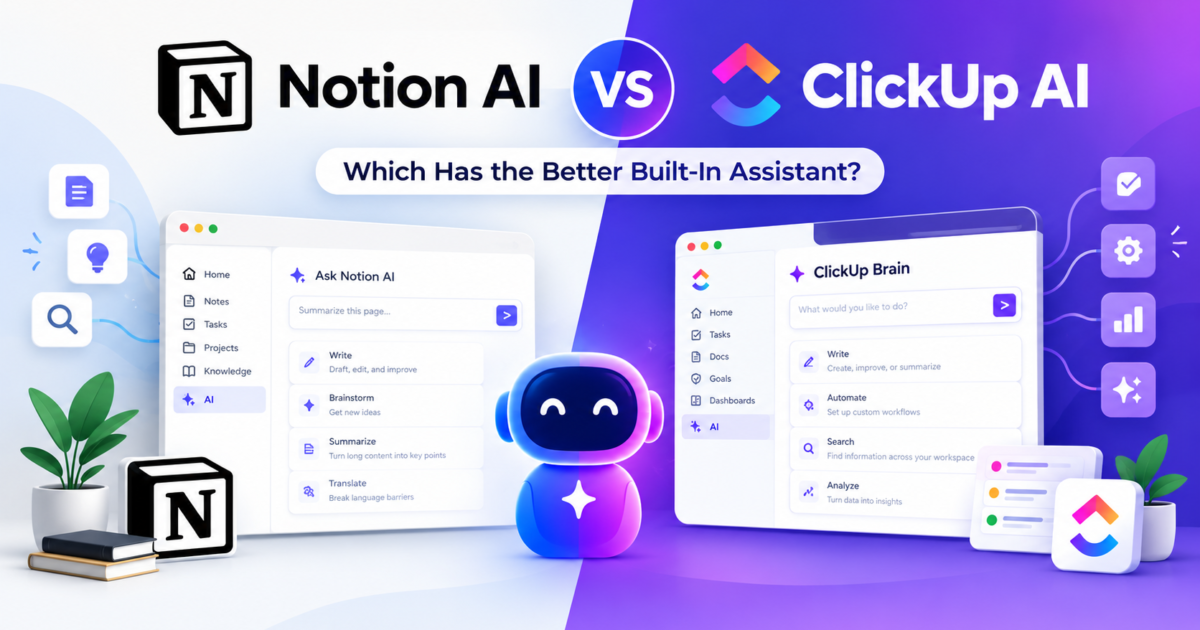
Two prominent options are Notion AI and ClickUp Brain, ClickUp’s built-in AI assistant. Both can help answer questions, summarize information, draft content, and reduce repetitive work. But they are designed around different workspaces. Notion is especially strong as a connected home for documents, knowledge, and flexible databases. ClickUp centers on tasks, projects, collaboration, and operational workflows.
So, which has the better built-in assistant? The practical answer is that Notion AI is the more natural fit for knowledge-heavy work organized around pages and connected information, while ClickUp Brain is often the better fit for teams that run their day-to-day work through tasks, project views, and execution workflows. The best choice depends on where your team’s source of truth already lives.
Quick verdict: Notion AI vs ClickUp AI
Choose Notion AI if your team writes, researches, documents processes, manages a knowledge base, or wants an assistant to work directly with pages and databases. Its appeal is the tight relationship between AI and a flexible knowledge workspace.
Choose ClickUp Brain if your team manages a busy pipeline of assigned tasks, project updates, deadlines, comments, and dashboards. Its appeal is contextual assistance inside a work-management system, including helping teams find information and move work forward.
Neither product is automatically the winner for every team. Compare the actual AI features available on your plan, the usage limits, the apps you need to connect, and whether the assistant can safely access the information it needs. Feature bundles and prices change, so verify the current plan details before purchasing.
What is Notion AI?
Notion AI is integrated into Notion’s workspace for documents, wikis, projects, and databases. Notion describes capabilities that include drafting and editing text, answering questions using workspace context, searching connected sources, meeting notes, database assistance, and agent-style help with multi-step work. Availability varies by plan and feature; Notion’s current plan information lists its more extensive AI experience with Business and Enterprise, while Free and Plus users have limited trial access.
Its biggest advantage is context. If your team already stores product briefs, meeting notes, research, standard operating procedures, and project documentation in Notion, the assistant can help turn that material into summaries, reports, drafts, and structured pages without constantly moving between tools.
For example, a marketer could ask it to summarize customer research, draft a campaign brief from existing notes, and organize the result in a database. A team lead could use it to find decisions buried in documentation or turn a rough process description into a more usable internal guide.
What is ClickUp Brain?
ClickUp Brain is ClickUp’s collection of AI features integrated throughout its work-management platform. Depending on the plan and add-ons, the experience can include conversational assistance, writing help, workspace search, task and document context, meeting-related tools, and AI-powered agents or automation features.
Its main advantage is the connection between AI and execution. If a team’s work is tracked through ClickUp tasks, assignees, statuses, comments, Docs, and dashboards, an assistant that can understand that structure may be more useful than a general-purpose chatbot. It can help summarize project context, draft updates, find work-related answers, and support routine workflows.
ClickUp’s AI offering is modular: the capabilities included, usage limits, and add-on requirements can vary. The official pricing page currently lists a Brain AI add-on and a higher Everything AI tier, alongside trial access to some AI features on the Free Forever plan. Check the live plan page for current pricing and feature entitlements.
Feature-by-feature comparison
1. Writing and editing. Both tools can help draft, rewrite, summarize, and improve text. Notion has a particularly natural environment for long-form documents, internal guides, briefs, and knowledge articles because the output can live directly alongside source material. ClickUp’s writing assistance is convenient when the text is part of a task, project update, document, or team workflow. Winner: Notion AI for document-first work; ClickUp Brain for writing embedded in project execution.
2. Workspace search and answers. Notion AI can draw on accessible workspace content and supported connected apps, depending on configuration and plan. ClickUp Brain focuses on finding and interpreting work information inside the ClickUp environment and supported connections. The real-world winner depends on where reliable information lives and which integrations your team has enabled. Test questions with known answers before committing.
3. Task and project management. ClickUp has the advantage when the underlying work is already organized as tasks, assignees, statuses, dependencies, and project views. AI can be more actionable when it understands that operational structure. Notion can manage projects through databases, properties, and relations, but teams that need detailed project controls may prefer ClickUp’s task-centric model. Winner: ClickUp Brain for execution-heavy teams.
4. Research and knowledge work. Notion’s pages, databases, and research-oriented workflows make it appealing for collecting source material and turning it into structured knowledge. Notion also describes research functionality that can produce detailed reports using workspace, connected-source, and web context where enabled. ClickUp can support research and summaries too, but its strongest natural fit is often connecting information back to active work. Winner: Notion AI for a knowledge hub; assess both if external research is central.
5. Meetings and follow-ups. Notion AI Meeting Notes can capture and summarize meetings and keep the resulting information searchable within Notion, subject to availability and configuration. ClickUp also offers AI meeting and notetaking features in its broader AI lineup, with access and allowances depending on the plan. Compare transcription quality, supported meeting workflows, retention controls, and how easily action items become trackable work. There is no universal winner without testing your meeting setup.
6. Automation and agents. Both platforms are moving beyond simple chat toward AI that can complete multi-step tasks or automate recurring work. Notion offers Notion Agent and Custom Agents, with availability and credit requirements varying by plan. ClickUp offers Brain and agent-oriented features, including Super Agents and other AI capabilities depending on the purchased tier. The important questions are what can be triggered, what actions are allowed, how approvals work, and whether activity is auditable. Winner: depends on the workflow and plan.
7. Databases and structured information. Notion’s flexible databases are central to the product, and its AI can help create databases, populate properties, and work with formulas or automations where supported. ClickUp’s structured task fields, views, dashboards, and AI fields are more naturally aligned with tracking operational delivery. Winner: Notion for flexible knowledge databases; ClickUp for structured project execution.
8. Ease of use. Notion can feel approachable to people who think in pages, documents, and connected notes, though its flexibility can require deliberate workspace design. ClickUp offers a broad set of project-management controls, which can be powerful but may feel busy to teams that only want a simple writing space. Winner: depends on the team’s preferred working style and how much configuration it needs.
9. Integrations. Both products can become more useful when they can access relevant information outside their own workspace. Notion advertises AI connectors for selected apps, with connector availability depending on the plan and current rollout. ClickUp also provides integrations and AI-related search capabilities. Do not assume every connector is included: check supported apps, setup requirements, permissions, and plan restrictions.
10. Privacy, permissions, and governance. For either platform, an AI assistant should only be given access appropriate to the user and organization. Review permissions, connected-app scopes, retention policies, admin controls, and contractual terms before connecting sensitive sources. Notion describes enterprise controls and zero data retention with LLM providers for Enterprise workspaces; other plans may have different retention terms. ClickUp publishes AI model, privacy, and security documentation. Confirm the current terms directly with each vendor rather than treating a general product page as a security guarantee.
Pricing: compare the full cost, not just the base plan
AI pricing is one of the easiest parts of this comparison to misunderstand because the base workspace subscription and AI access may not be equivalent. Notion’s current pricing page lists Free at $0, Plus at $10 per member per month, and Business at $20 per member per month when displayed in USD; it describes the more extensive Notion AI experience as part of Business and Enterprise, while lower plans offer limited trial access. Annual billing, region, taxes, and plan changes can affect what you pay.
ClickUp’s current pricing page lists Free Forever with trial access to some AI features, Brain AI at $9 per user per month, and Everything AI at $28 per user per month, with the page noting yearly-billing savings. These are AI tier prices shown on the vendor page, not a guarantee that every capability is included in the same way for every workspace or billing arrangement. Check whether the required ClickUp workspace plan must also be purchased and which AI features are bundled in each tier.
To compare total cost fairly, calculate the workspace plan plus the AI tier or add-ons, then multiply by the number of paid users. Include any credit-based agent usage, limits on premium models, and paid integrations. A cheaper headline price is not necessarily cheaper if your team needs several add-ons or hits usage limits.
Which assistant is better for different teams?
For content marketers, SEO teams, consultants, and researchers: Notion AI is often the better starting point when briefs, research, editorial calendars, and reusable knowledge live in Notion. It supports a document-centered way of working, but it is not a substitute for fact-checking, original expertise, or SEO analysis.
For project managers, agencies, product teams, and operations: ClickUp Brain is often the stronger fit when deliverables, ownership, dependencies, deadlines, and status reporting live in ClickUp. AI can be most valuable when it helps people understand and update the work system they already use.
For small teams choosing a workspace from scratch: decide how you want to organize work before deciding on the AI assistant. If you want a flexible company wiki and document hub, start with Notion. If you want a more structured task and project management system, start with ClickUp. Run a short pilot with realistic tasks before migrating your entire team.
For enterprise teams: evaluate access controls, connected-app permissions, retention, auditability, contractual commitments, and how agent actions are approved. A capable assistant is only useful if the organization can deploy it responsibly.
Practical test: how to choose in one afternoon
Use the same five tasks in both products: (1) summarize a long internal document; (2) answer a question whose answer is spread across several pages or tasks; (3) turn meeting notes into decisions and action items; (4) draft a weekly project update; and (5) carry out a multi-step workflow that creates or edits real workspace content.
Score each result on accuracy, relevant context, time saved, amount of correction required, source transparency, and whether the AI can complete the action—not merely describe it. Repeat each task using the actual plan and integrations your team would buy. Keep sensitive or confidential information out of a trial unless your organization has approved the relevant data-processing terms.
A useful rule is to measure the work that disappears, not the novelty of the demo. If the assistant produces fluent answers but still requires someone to find context, verify every claim, and manually update the workspace, the productivity gain may be smaller than it looks.
Pros and cons at a glance
Notion AI — Pros: excellent fit for document-heavy work; flexible pages and databases; workspace-aware drafting and summarization; useful connected search and agent-style workflows where enabled. Cons: advanced AI access depends on plan and usage allowances; teams may need to design their workspace carefully; it is not as task-centric as a dedicated project-management platform.
ClickUp Brain — Pros: close connection to tasks, projects, comments, Docs, and operational workflows; useful for project summaries and work search; broad and expanding AI feature set. Cons: AI features are split across tiers and add-ons; the overall product can feel complex for simple use cases; total costs and limits need careful checking.
Final verdict: Notion AI vs ClickUp AI
There is no single winner for every definition of “better.” Notion AI is the stronger choice for teams that want an assistant embedded in a knowledge workspace, especially when the core work involves writing, research, documentation, and connected information. ClickUp Brain is the stronger choice for teams that want AI embedded in project execution, task tracking, and day-to-day operational workflows.
If you already use one platform successfully, start by testing its AI assistant before adding another tool. The context advantage of working where your information already lives often matters more than a long feature checklist. If you are choosing from scratch, pilot both products against the same real tasks and compare accuracy, actionability, user adoption, and total cost.
Frequently asked questions
Is Notion AI better than ClickUp AI?
Notion AI is generally better suited to knowledge and document-centered workflows; ClickUp Brain is generally better suited to task- and project-centered workflows. The best option depends on where your team stores information and manages work.
Is ClickUp Brain the same as ClickUp AI?
ClickUp uses ClickUp AI as a broad term for AI features across the platform and ClickUp Brain for its collection of contextual AI capabilities. Naming and packaging may evolve, so consult ClickUp’s current official documentation.
Can I use Notion AI for free?
Notion’s official pricing and help pages describe limited AI trial access on Free and Plus plans. More extensive AI features are associated with Business and Enterprise plans. Check the current plan page for the latest limits.
Does ClickUp include AI in its free plan?
ClickUp’s pricing page currently advertises trial access to some AI features on Free Forever. Ongoing access to particular capabilities may require an AI add-on or higher tier.
Which is better for SEO content writing?
Notion AI can be convenient for drafting and organizing content briefs, outlines, and articles in a knowledge workspace. ClickUp Brain can help when content production is managed through tasks and approvals. Neither tool guarantees rankings; editorial expertise, search intent, evidence, and human review remain essential.
Can Notion AI and ClickUp Brain replace ChatGPT?
They can handle many in-workspace tasks, but whether they replace a general AI assistant depends on your needs, integrations, and available models. Their distinctive value is their connection to the workspace where your team works.
How should I compare their security?
Review each vendor’s current security documentation, data retention and processing terms, admin controls, connected-app permissions, and the specific plan you intend to buy. Do not upload sensitive data to a trial without approval.