Artificial intelligence is changing how people work, learn, create content and manage everyday tasks. From writing articles and generating images to researching information and building software, AI tools are becoming essential for individuals, freelancers, students and businesses.
The good news is that you don’t necessarily need an expensive subscription to benefit from artificial intelligence. Many popular AI platforms offer free plans that provide useful features for everyday tasks.
However, choosing the right tool can be challenging. Some platforms specialize in writing, others focus on research or image generation, while some offer complete AI-powered productivity solutions.
In this guide, we’ll explore 15 of the best free AI tools to consider in 2027, compare their features, explain their advantages and limitations, and help you choose the right tools for your needs.
Important: Free-plan allowances and features change regularly. This guide compares services with free access or free tiers; it is not a claim that all 15 tools were independently tested under identical conditions. Always check the providers’ current pricing and usage policies before signing up.
Quick Comparison: 15 Best Free AI Tools in 2027
| AI Tool | Best For | Free Access |
|---|---|---|
| ChatGPT | General AI assistance | Yes, with limits |
| Google Gemini | Everyday AI tasks | Yes, with limits |
| Claude | Writing and reasoning | Yes, with limits |
| Microsoft Copilot | Productivity | Yes |
| Perplexity AI | Online research | Yes, with limits |
| NotebookLM | Research and studying | Yes, with limits |
| Grammarly | Grammar and proofreading | Yes |
| Canva | Graphic design | Yes, with limits |
| Adobe Express | Visual content creation | Yes, with limits |
| Ideogram | AI image generation | Limited free access |
| Leonardo AI | Creative image generation | Limited free access |
| Suno | AI music creation | Limited free access |
| GitHub Copilot | AI coding assistance | Eligibility and limits apply |
| Windsurf | AI-assisted coding | Free access may be available |
| Zapier | Workflow automation | Yes, with limits |
1. ChatGPT – Best Free AI Assistant Overall

ChatGPT is one of the most versatile AI assistants available. It can help users with writing, brainstorming, learning, research, planning, data analysis and everyday productivity.
Whether you are a student preparing study notes, a freelancer writing client proposals or a business owner creating marketing content, ChatGPT can assist with a wide range of tasks.
Key features:
- Generate articles, emails and marketing copy.
- Explain complicated topics.
- Brainstorm business ideas.
- Summarize documents.
- Help with coding and debugging.
- Analyze supported files and data.
- Generate ideas for social media content.
Advantages:
- Easy-to-use conversational interface.
- Supports many different tasks.
- Useful for beginners and professionals.
- Offers a free plan.
Limitations:
- Free usage limits apply.
- Some advanced capabilities require a paid subscription.
- AI-generated information should be verified.
Best for: Students, freelancers, content creators, professionals and small businesses.
2. Google Gemini – Best AI Tool for Google Users
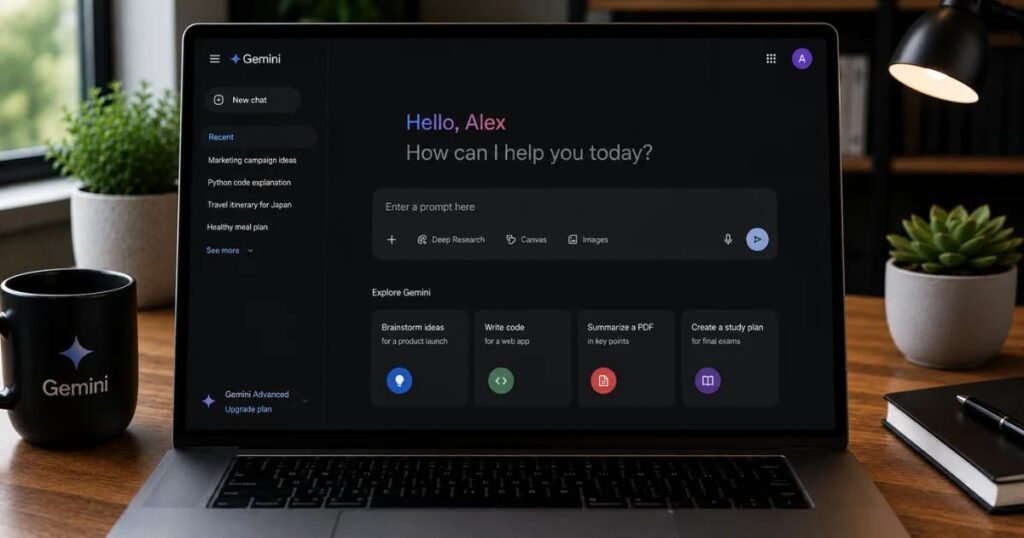
Google Gemini is Google’s AI assistant, designed to help users generate content, understand information, brainstorm ideas and work with supported media.
It is particularly convenient for people already using Google’s ecosystem.
Key features:
- Answer questions and explain topics.
- Generate written content.
- Summarize information.
- Assist with brainstorming.
- Understand supported images and files.
- Support certain Google-connected workflows.
Advantages:
- Convenient for Google users.
- Useful for everyday productivity.
- Supports multimodal interactions.
- Offers free access.
Limitations:
- Some advanced features require a subscription.
- Usage limits vary.
- Availability of features depends on region and account.
Best for: Students, professionals and people who use Google services regularly.
3. Claude – Best AI Tool for Writing and Long Documents

Claude is an AI assistant developed by Anthropic. It is particularly useful for writing, editing, summarizing and working with documents.
If you regularly create blog articles, business reports, proposals or professional emails, Claude is worth exploring.
Key features:
- Long-form content assistance.
- Article editing and rewriting.
- Document analysis.
- Summarization.
- Brainstorming and planning.
- Programming assistance.
Advantages:
- Strong writing capabilities.
- Useful for structured content.
- Helpful for reviewing long documents.
- Offers a free tier.
Limitations:
- Free usage limits apply.
- Some advanced features are subscription-based.
- Outputs still require human review.
Best for: Writers, researchers, marketers and professionals.
4. Microsoft Copilot – Best for Everyday Productivity
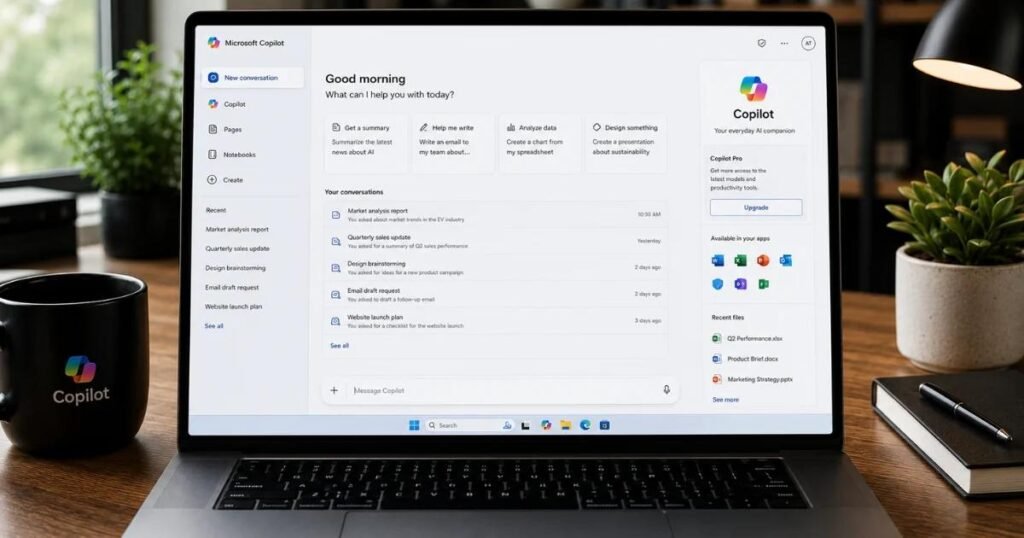
Microsoft Copilot is an AI assistant that helps users with everyday questions, writing, planning and productivity tasks.
It is particularly useful for people who work with Microsoft’s software ecosystem.
Key features:
- Generate written content.
- Summarize information.
- Answer questions.
- Brainstorm ideas.
- Assist with planning.
- Support selected image-related tasks.
Advantages:
- Accessible AI assistant.
- Useful for daily work.
- Convenient for Microsoft users.
- Free access is available.
Limitations:
- Some Microsoft 365 integrations require paid plans.
- Features vary by account.
- Usage restrictions may apply.
Best for: Office users, students and professionals.
5. Perplexity AI – Best Free AI Research Tool
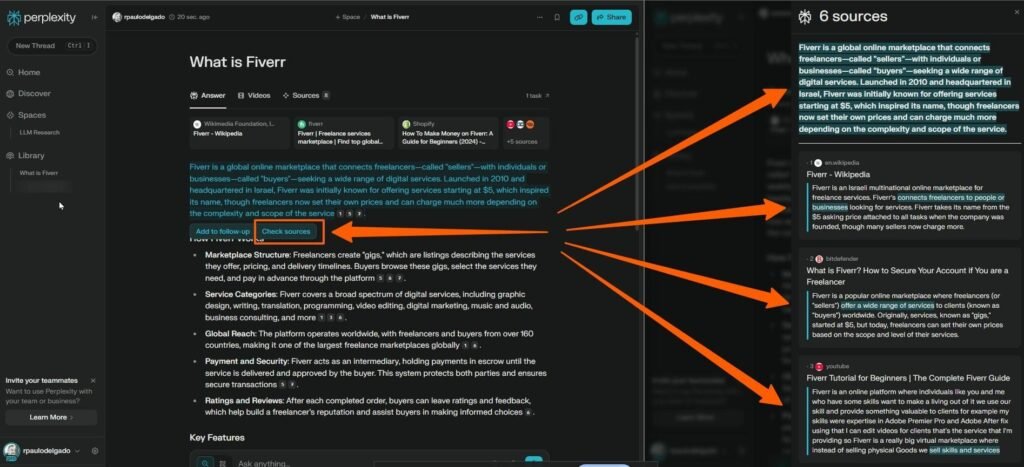
Perplexity AI is designed to help users find information and explore topics through AI-powered answers supported by source links.
Unlike a traditional search engine that primarily provides a list of websites, Perplexity attempts to summarize information and provide references.
Key features:
- AI-powered research.
- Source-linked answers.
- Topic exploration.
- Summarization.
- Follow-up questions.
- Research assistance.
Advantages:
- Convenient for initial research.
- Provides links to sources.
- Helps explore unfamiliar topics.
- Free access is available.
Limitations:
- Advanced research features may be restricted.
- Sources need to be checked.
- AI summaries can misunderstand information.
Best for: Researchers, students, journalists and content creators.
6. NotebookLM – Best AI Tool for Studying and Research

NotebookLM is an AI-powered research and note-taking tool from Google. It helps users understand and organize information from their own source materials.
You can provide supported documents and use AI to summarize, explain and explore the information.
Key features:
- Summarize uploaded sources.
- Generate study notes.
- Identify important themes.
- Answer questions based on sources.
- Create study-oriented materials.
- Organize research information.
Advantages:
- Useful for document-based research.
- Helps organize study material.
- Works with supplied sources.
- Free access is available.
Limitations:
- Usage limits apply.
- Source quality affects results.
- Important information should be verified against original documents.
Best for: Students, teachers, researchers and professionals.
7. Grammarly – Best Free AI Writing Assistant
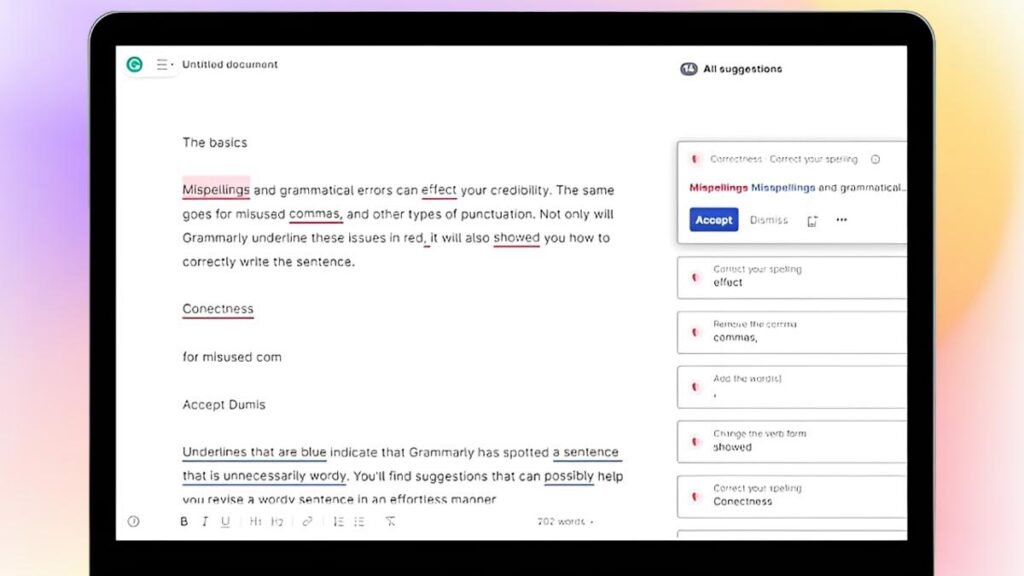
Grammarly is a popular writing assistant that helps improve grammar, spelling, clarity and readability.
It is especially useful when preparing professional emails, website content, business proposals and academic writing.
Key features:
- Grammar checking.
- Spelling correction.
- Clarity suggestions.
- Writing improvements.
- Tone assistance.
- Selected AI writing features.
Advantages:
- Easy to use.
- Useful for proofreading.
- Helps improve readability.
- Offers a free plan.
Limitations:
- Advanced rewriting features may require payment.
- Free features are more limited.
- Suggestions should be reviewed before accepting.
Best for: Students, writers, freelancers and business professionals.
8. Canva – Best Free AI Tool for Graphic Design

Canva is an accessible graphic design platform with selected AI-powered features.
It allows users to create professional-looking graphics without requiring advanced design skills.
Key features:
- Social media graphics.
- Presentation templates.
- Marketing materials.
- AI-assisted design features.
- Image editing.
- Visual content creation.
Advantages:
- Beginner-friendly interface.
- Large template library.
- Useful for social media marketing.
- Free plan available.
Limitations:
- Some templates and assets require payment.
- Certain AI features have usage restrictions.
- Premium brand features require a subscription.
Best for: Small businesses, bloggers, marketers and social media managers.
9. Adobe Express – Best for Quick Marketing Designs
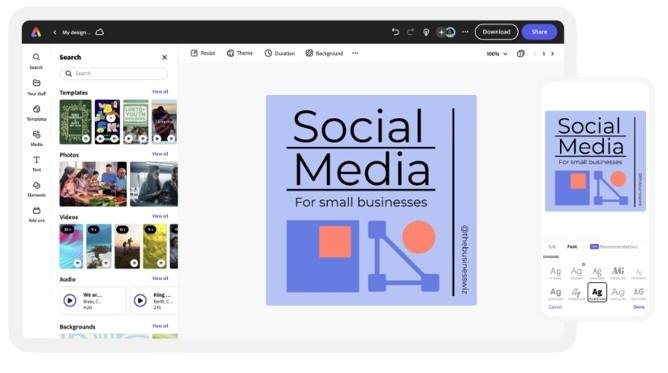
Adobe Express is a creative design platform that makes it easier to produce marketing graphics, social media posts, promotional materials and other visual content.
It is particularly useful for people who want quick designs without learning complex professional design software.
Key features:
- Social media templates.
- Image editing.
- Promotional graphics.
- Video content tools.
- Selected generative AI features.
- Quick design resizing.
Advantages:
- Beginner-friendly.
- Useful templates.
- Convenient for marketing content.
- Free plan available.
Limitations:
- Premium assets require payment.
- Selected AI features may have restrictions.
- Advanced creative features may require a subscription.
Best for: Bloggers, marketers, entrepreneurs and content creators.
10. Ideogram – Best AI Image Generator for Text-Based Designs
Ideogram is an AI image-generation platform that is useful for creating visual concepts, posters and designs containing prominent text.
It can help users explore creative ideas without starting every design from scratch.
Key features:
- AI image generation.
- Poster concepts.
- Typography-focused designs.
- Creative visual exploration.
- Multiple visual styles.
Advantages:
- Useful for text-focused images.
- Helps generate design concepts.
- Suitable for creative experimentation.
Limitations:
- Free generation allowances may be limited.
- Generated text can still contain errors.
- Commercial-use rights depend on current terms.
Best for: Bloggers, graphic designers and social media creators.
11. Leonardo AI – Best for Creative AI Images

Leonardo AI provides tools for generating creative images, concept artwork and visual assets.
It is useful for creators who want to explore different visual styles and develop ideas for digital content.
Key features:
- AI image generation.
- Creative visual concepts.
- Different artistic styles.
- Image variations.
- Visual experimentation.
Advantages:
- Useful for creative projects.
- Supports different visual directions.
- Offers limited free access.
Limitations:
- Free credits may be limited.
- Generation results vary.
- Usage and licensing terms need checking.
Best for: Digital artists, bloggers, designers and content creators.
12. Suno – Best AI Tool for Music Creation

Suno is an AI-powered music generation platform that allows users to experiment with creating original music.
It can help users explore musical ideas and develop creative concepts.
Key features:
- AI music generation.
- Music concept development.
- Different musical styles.
- Creative experimentation.
Advantages:
- Accessible music creation.
- Useful for creative exploration.
- Free access may be available.
Limitations:
- Generation allowances are limited.
- Commercial rights depend on the plan.
- Copyright and licensing terms should be checked carefully.
Best for: Music enthusiasts and creative experimenters.
13. GitHub Copilot – Best AI Coding Assistant
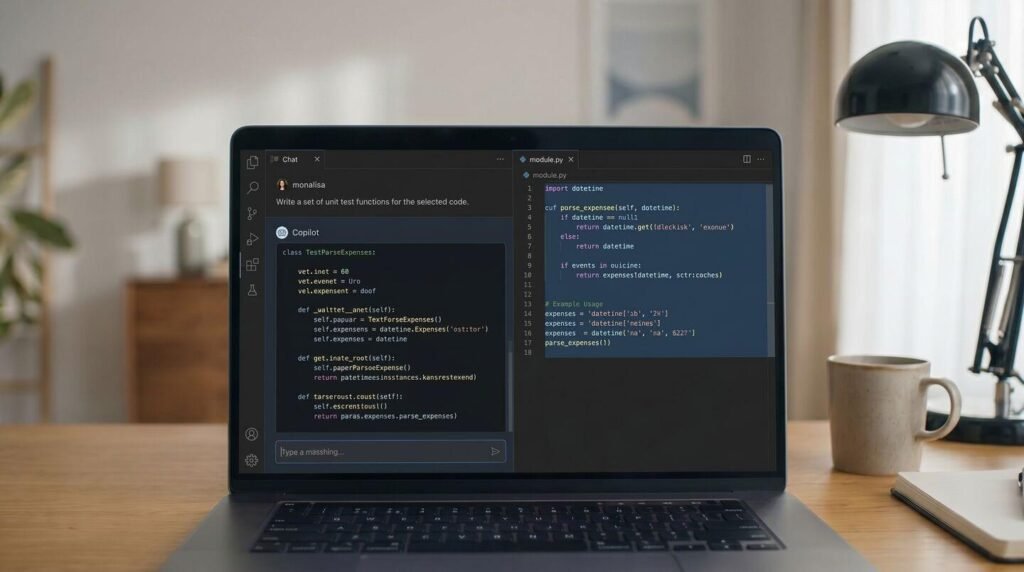
GitHub Copilot is an AI coding assistant designed to help developers write, understand and improve code.
It can suggest code while developers work inside supported programming environments.
Key features:
- Code suggestions.
- Programming assistance.
- Code explanations.
- Debugging support.
- Development productivity assistance.
Advantages:
- Helps with repetitive coding tasks.
- Supports development workflows.
- Useful for learning programming.
- Free access is available to eligible users under applicable plans.
Limitations:
- Free usage and eligibility restrictions apply.
- Suggestions can contain errors.
- Developers must review and test generated code.
Best for: Developers, programmers and coding students.
14. Windsurf – Best for AI-Assisted Coding Workflows

Windsurf is an AI-powered development environment designed to help programmers work more efficiently.
AI coding assistants can help developers understand existing code, suggest improvements and navigate software projects.
Key features:
- AI-assisted coding.
- Code completion.
- Code explanations.
- Development workflow assistance.
- Project understanding features.
Advantages:
- Useful for development workflows.
- Can help reduce repetitive coding work.
- Helpful for understanding unfamiliar code.
Limitations:
- Free usage allowances may change.
- Advanced features may require payment.
- Generated code requires testing.
Best for: Developers and software engineering students.
15. Zapier – Best for AI-Powered Workflow Automation
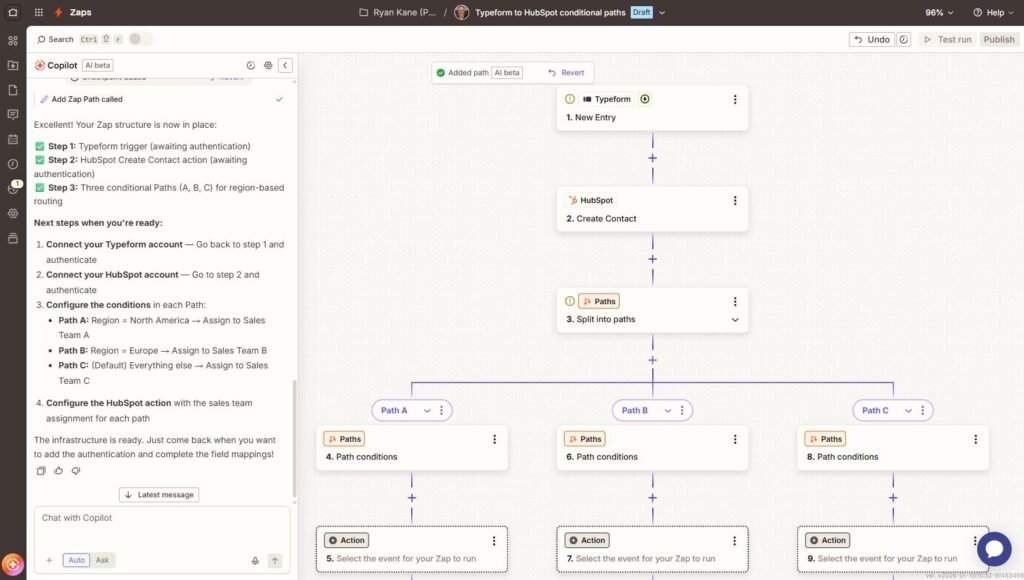
Zapier is a workflow automation platform that connects different applications and automates repetitive tasks.
It can help businesses save time by connecting supported services and creating automated workflows.
Key features:
- App integrations.
- Workflow automation.
- Automated notifications.
- Data transfer between supported apps.
- Selected AI-assisted automation features.
Advantages:
- Reduces repetitive tasks.
- Useful for small businesses.
- Supports many application integrations.
- Free plan available.
Limitations:
- Free task limits apply.
- Some integrations and multi-step workflows require paid plans.
- Automations should be tested before relying on them.
Best for: Entrepreneurs, freelancers, marketers and small businesses.
How to Choose the Best Free AI Tool in 2027
With so many AI platforms available, choosing the right one depends on your requirements. Instead of signing up for every service, identify the tasks you want to complete.
Here are six important factors to consider.
1. Identify Your Requirements
Start by identifying what you need AI for.
- Writing blog posts? Consider ChatGPT, Claude or Grammarly.
- Researching topics? Try Perplexity or NotebookLM.
- Creating graphics? Explore Canva or Adobe Express.
- Generating images? Consider Ideogram or Leonardo AI.
- Writing code? Explore GitHub Copilot or Windsurf.
- Automating tasks? Try Zapier.
2. Compare Free Plan Limitations
Not every free AI tool offers unlimited usage.
Before signing up, check:
- Daily or monthly usage limits.
- Number of free image generations.
- File upload restrictions.
- Available AI models.
- Export and download options.
- Commercial usage permissions.
3. Consider Ease of Use
A powerful AI platform isn’t necessarily the best choice if it is difficult to operate.
Beginners should prioritize tools with simple interfaces, clear instructions and helpful tutorials.
4. Check Privacy and Security
Avoid sharing passwords, confidential business information, customer records or sensitive personal information with AI services unless you have checked their privacy and data-handling policies.
5. Verify AI-Generated Information
AI tools can occasionally produce inaccurate information, outdated facts or incorrect references.
Always verify important information using reliable sources, especially when preparing professional, financial, medical or technical content.
6. Check Commercial Usage Rights
If you intend to use AI-generated images, music or other content for business purposes, review the provider’s licensing and commercial-use policies.
A free account does not automatically grant unrestricted commercial rights.
Best Free AI Tools by Category
Here is a quick recommendation based on different requirements.
| Requirement | Recommended Tool |
|---|---|
| General AI assistant | ChatGPT |
| Google-related AI tasks | Gemini |
| Long-form writing | Claude |
| Online research | Perplexity |
| Document research | NotebookLM |
| Grammar checking | Grammarly |
| Social media graphics | Canva |
| Quick marketing designs | Adobe Express |
| AI image generation | Ideogram |
| Creative artwork | Leonardo AI |
| Music generation | Suno |
| Programming assistance | GitHub Copilot |
| AI coding environment | Windsurf |
| Workflow automation | Zapier |
Are Free AI Tools Good Enough for Small Businesses?
Yes. Free AI tools can provide considerable value to small businesses, freelancers and startups.
You can use them to improve productivity without immediately investing in expensive software subscriptions.
Here are some practical examples.
Content Marketing
AI writing assistants can help businesses:
- Generate blog post ideas.
- Prepare article outlines.
- Draft social media content.
- Write email newsletters.
- Create product descriptions.
- Develop content calendars.
Digital Marketing
Marketing professionals can use AI to:
- Brainstorm advertising headlines.
- Generate keyword ideas.
- Draft advertising copy.
- Research competitors.
- Develop landing page content.
- Create marketing graphics.
AI-generated recommendations should always be reviewed against actual campaign data and business objectives.
Customer Support
AI assistants can help businesses prepare:
- Frequently asked questions.
- Customer support templates.
- Email responses.
- Help documentation.
- Customer communication guidelines.
Productivity and Administration
Automation platforms can help businesses reduce repetitive administrative work, such as transferring information between applications and sending notifications.
Frequently Asked Questions (FAQs)
1. What is the best free AI tool in 2027?
ChatGPT is a strong general-purpose starting point. However, the best choice depends on your requirements. Perplexity is useful for research, Canva for design and Claude for writing.
2. Are free AI tools really free?
Many AI services provide free plans, but they often include usage restrictions. Some advanced models, additional credits, integrations and premium features require paid subscriptions.
3. Which free AI tool is best for writing articles?
ChatGPT and Claude are useful for drafting and organizing articles. Grammarly can help with proofreading and improving readability. Always fact-check and edit AI-generated content before publishing.
4. Which free AI tool is best for image generation?
Ideogram and Leonardo AI are worth exploring for creative image generation. Canva and Adobe Express are useful for creating and editing marketing graphics.
5. Can I use free AI tools for business?
Yes, many free AI tools can assist with everyday business activities. However, check each provider’s current licensing, privacy and commercial-use policies before using generated material commercially.
6. Which free AI tool is best for students?
ChatGPT, Gemini and NotebookLM are useful for explanations, brainstorming, organizing notes and understanding study materials.
7. Can AI tools replace human writers?
AI tools can assist with research, drafting and editing, but human judgment remains important. Original insights, factual accuracy, experience and editorial quality still matter.
8. Do free AI tools have usage limits?
Yes. Most free plans have restrictions on messages, generations, file uploads, advanced models or other features. These restrictions can change over time.
9. Are AI-generated images free for commercial use?
Not automatically. Commercial rights depend on the specific platform, subscription plan, content and licensing terms. Always review the provider’s current policies.
10. Will free AI tools remain available in 2027?
Many AI companies offer free access as a way to introduce users to their platforms. However, pricing, features and availability can change, so there is no guarantee that a particular free plan will remain unchanged throughout 2027.
Final Thoughts: Which Free AI Tools Should You Try in 2027?
Artificial intelligence is creating new opportunities for students, freelancers, entrepreneurs and businesses.
The best free AI tools in 2027 can help you write better content, research information, create graphics, develop software and automate repetitive tasks.
You don’t need to use every tool listed in this article. Start with the platforms that solve your biggest problems, explore their free features and upgrade only when you genuinely need additional capabilities.
Our recommendation is to start with ChatGPT or Gemini for general assistance, Perplexity for research, Canva for design and NotebookLM for document-based learning.
As AI technology continues to evolve, regularly reviewing available tools and their free plans will help you get the most value from these services.
Which free AI tool is your favorite? Share your experience in the comments and let us know which AI platform you would recommend to others.