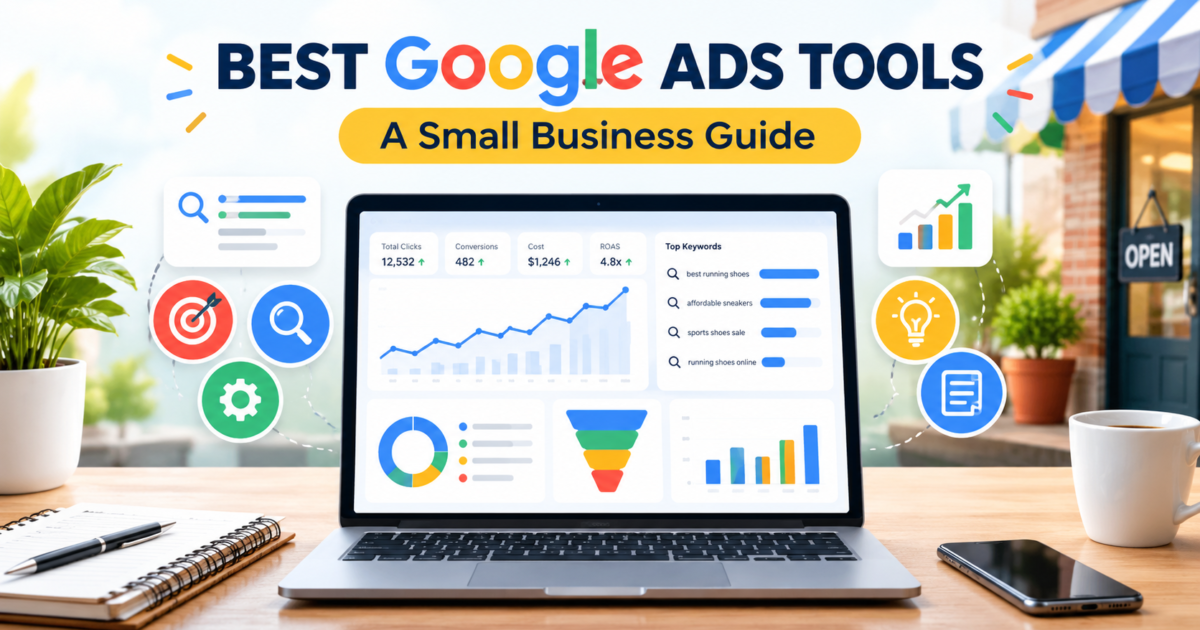

SEO Title: Best Google Ads Tools for Small Businesses (2026 Guide)
Meta Description: Discover the best Google Ads tools for small businesses, including free keyword research, conversion tracking, reporting, competitor research, and automation tools.
Suggested URL Slug: best-google-ads-tools-for-small-businesses
Focus Keyword: Best Google Ads Tools
Related Keywords: Google Ads tools for small businesses, Google Keyword Planner, Google Ads Editor, Google Ads conversion tracking, Google Analytics 4, Google Tag Manager, PPC tools, Google Ads reporting tools.
Introduction
Running Google Ads can be one of the most effective ways for small businesses to reach potential customers who are actively searching for their products or services. Whether you operate an online store, a local service business, a consultancy, or a growing agency, Google Ads can help you generate leads, increase website traffic, and drive sales.
However, successful advertising requires more than simply creating a campaign and setting a budget. You need to research relevant keywords, write compelling ads, measure conversions, monitor performance, and continually improve your campaigns.
This is where Google Ads tools become valuable.
The right tools can help small businesses make better advertising decisions, reduce wasted spending, identify profitable opportunities, and understand which campaigns produce real business results. The best part is that many useful tools are free or already included in Google’s advertising ecosystem.
In this comprehensive guide, we’ll explore the best Google Ads tools for small businesses in 2026, including free Google tools, keyword research platforms, conversion tracking solutions, reporting dashboards, competitor research tools, and PPC automation software.
You’ll also learn which tools are worth using, how to choose the right combination for your business, and how to build an effective Google Ads workflow without paying for unnecessary software.
Quick Comparison: Best Google Ads Tools for Small Businesses
| Tool | Best Use | Cost |
|---|---|---|
| Google Keyword Planner | Keyword research and forecasting | No separate tool fee |
| Google Ads Editor | Bulk campaign management | Free |
| Google Ads Conversion Tracking | Measuring leads and sales | No separate tool fee |
| Google Analytics 4 | Understanding website behavior | Free standard version |
| Google Tag Manager | Managing tracking tags | Free standard version |
| Looker Studio | Performance dashboards and reports | Free standard version |
| Google Ads Transparency Center | Competitor ad research | Free |
| Semrush | Keyword and competitor research | Paid plans available |
| SpyFu | Competitor PPC research | Paid plans available |
| Optmyzr | PPC automation and optimization | Paid plans available |
| Google Ads Mobile App | Monitoring campaigns on the go | Free app |
Pricing, plan limits, and feature availability may change. Check each provider’s official website for current details.
1. Google Keyword Planner — Best for Keyword Research

Google Keyword Planner is one of the most useful tools for small businesses starting with Google Search advertising. It helps advertisers discover relevant keywords, estimate search demand, and understand potential advertising costs.
Instead of guessing what customers might search for, you can use Keyword Planner to identify search terms related to your products or services.
Key features
- Discover keyword ideas based on products, services, or websites.
- Review estimated monthly search volumes.
- Explore suggested bid estimates.
- Identify keyword opportunities in specific locations.
- Forecast potential clicks, impressions, and spending.
- Organize related keywords into relevant campaign groups.
How small businesses can use it
Suppose you run a plumbing business in Lahore. You might research keywords such as:
- Emergency plumber in Lahore
- Plumbing services near me
- Bathroom plumbing repair
- Water leakage repair
- Professional plumbing services
You can then assess which keywords are relevant to your services and target the locations you actually serve.
An ecommerce business could use the same process to identify searches related to specific products, brands, or purchase intentions.
Advantages
- No separate software subscription is required.
- It uses Google’s own keyword planning environment.
- It supports geographic targeting and forecasting.
- It helps beginners develop a more structured keyword strategy.
Limitations
Keyword Planner estimates are not guarantees of traffic, clicks, or sales. Actual performance depends on competition, bids, ad relevance, landing pages, targeting, and customer behavior. Some features may also require Google Ads account setup.
Best for: Small businesses, freelancers, local service providers, ecommerce stores, and PPC beginners.
Official resource: https://support.google.com/google-ads/answer/7337243
2. Google Ads Editor — Best for Managing Campaigns in Bulk

Google Ads Editor is a free desktop application that helps advertisers manage Google Ads campaigns more efficiently. It is particularly useful when you need to make changes across multiple campaigns, ad groups, keywords, or advertisements.
While the standard Google Ads interface works well for many small accounts, bulk management becomes increasingly important as your campaigns grow.
Key features
- Create and edit campaigns in bulk.
- Update multiple keywords and ads.
- Copy and move campaign elements.
- Review changes before posting them.
- Work on downloaded account data while offline.
- Manage campaign structures more efficiently.
Why small businesses should consider it
Imagine you operate a digital marketing agency and manage Google Ads for several clients. Updating dozens of keywords or changing similar settings manually can consume valuable time.
Google Ads Editor makes these tasks easier by allowing you to prepare changes in batches and review them before publishing.
It can also help businesses maintain consistency when creating campaigns for multiple products, services, or locations.
Advantages
- Free to use.
- Useful for bulk edits and campaign organization.
- Helps reduce repetitive manual work.
- Supports a more controlled editing workflow.
Limitations
Google Ads Editor may feel unnecessary for beginners managing just one or two simple campaigns. You should also review changes carefully before posting them to your live account.
Best for: PPC specialists, agencies, freelancers, and small businesses with multiple campaigns.
Official website: https://ads.google.com/home/tools/ads-editor/
3. Google Ads Conversion Tracking — Best for Measuring Results

Getting clicks is not the same as generating business. A campaign can attract hundreds of visitors and still fail to produce meaningful results.
Google Ads Conversion Tracking helps you measure valuable actions people take after interacting with your ads.
Depending on your business model, a conversion could include:
- A completed purchase.
- A submitted contact form.
- A qualified phone call.
- An appointment booking.
- A request for a quotation.
- A registration or other meaningful action.
Why conversion tracking matters
Suppose you spend $300 on Google Ads and generate 100 website visits. Without conversion tracking, you may know how many people clicked your advertisements, but you won’t reliably know how many became customers.
With properly configured conversion tracking, you can evaluate which campaigns generate leads or sales and how much those results cost.
For example, if Campaign A generates 10 qualified leads at $15 each while Campaign B generates 3 qualified leads at $40 each, you have a more useful basis for reviewing their relative performance.
The final decision should still consider lead quality, sales value, and other business factors.
How to set up conversion tracking
- Identify the business actions you want to measure.
- Configure the appropriate Google Ads conversion actions.
- Install the Google tag or use a supported integration or tag manager.
- Test whether conversions record correctly.
- Check for duplicate conversion events.
- Review results and compare them with actual leads or sales.
For lead-generation businesses, it can be useful to connect advertising data with a customer relationship management (CRM) system so you can evaluate whether leads become paying customers.
Advantages
- Helps measure advertising outcomes.
- Supports cost-per-conversion analysis.
- Provides data for campaign optimization.
- Helps distinguish traffic from valuable business activity.
Limitations
Conversion tracking needs correct implementation. Incorrect tags, duplicate events, consent settings, and inconsistent conversion definitions can distort reports.
Best for: Every business that wants to measure the effectiveness of its Google Ads campaigns.
Official resource: https://support.google.com/google-ads/answer/1722022
4. Google Analytics 4 — Best for Understanding Website Visitors

Google Analytics 4 (GA4) helps businesses understand how visitors interact with their websites or apps.
Google Ads can show you how campaigns perform, while GA4 can provide additional context about what happens after visitors arrive on your website.
Key features
- Website traffic analysis.
- Landing-page performance reporting.
- Event and engagement measurement.
- Traffic acquisition reports.
- Audience and user journey analysis.
- Integration with Google Ads.
How it helps small businesses
Imagine your Google Ads campaign attracts visitors to a service page, but only a few people submit your contact form.
GA4 can help you investigate visitor behavior, identify pages that may need improvement, and understand how people interact with important website elements.
For ecommerce stores, it can help analyze shopping journeys and identify potential checkout problems when the relevant events are configured correctly.
Advantages
- Offers a free standard version.
- Provides useful website behavior insights.
- Integrates with other Google marketing tools.
- Helps identify potential landing-page improvements.
Limitations
GA4 requires appropriate configuration and can take time to learn. Its reports should be interpreted alongside conversion data, lead quality, and sales information rather than used as a substitute for business outcomes.
Best for: Small businesses that want to understand website performance beyond clicks and impressions.
Official website: https://analytics.google.com/
5. Google Tag Manager — Best for Managing Tracking Tags

Google Tag Manager (GTM) is a tag management tool that helps businesses manage website tracking tags and event configurations from one central interface.
It can simplify the process of implementing Google Ads conversion tracking, Google Analytics events, and other supported measurement technologies.
Key features
- Manage tracking tags.
- Configure triggers for specific actions.
- Create and maintain variables.
- Test changes before publishing.
- Organize measurement implementations.
- Reduce the need for repeated website code changes.
Example use case
Suppose your business wants to measure when visitors submit a quote request form.
With an appropriate GTM configuration, you can trigger a tracking event when the form is successfully submitted and use that event in your measurement setup.
The implementation must be tested carefully to ensure that failed submissions, repeated clicks, or page refreshes do not create misleading conversion counts.
Advantages
- Free standard version.
- Centralized tracking management.
- Useful for websites with multiple tags.
- Helps organize and test measurement changes.
Limitations
GTM is not mandatory for every website. Some website builders and ecommerce platforms offer direct integrations that are simpler to maintain.
Incorrect tag configuration can also lead to inaccurate reporting.
Best for: Businesses with multiple tracking requirements or websites that need ongoing measurement changes.
Official website: https://tagmanager.google.com/
6. Looker Studio — Best for Google Ads Reporting

Looker Studio helps transform marketing data into visual dashboards and shareable reports.
For small business owners, it can be difficult to interpret campaign performance by looking at multiple tables and reports. A well-designed dashboard can make the most important information easier to understand.
Key features
- Visual performance dashboards.
- Charts and trend comparisons.
- Custom reporting layouts.
- Data connections and integrations.
- Shareable reports.
- Reusable templates for recurring reporting.
What should your dashboard include?
A useful Google Ads dashboard may include:
- Total advertising spend.
- Impressions and clicks.
- Conversions.
- Cost per conversion.
- Conversion rate.
- Conversion value.
- Return on ad spend (ROAS), when reliable value data is available.
- Campaign-level performance.
You can also create reports for specific locations, devices, landing pages, or product categories when those breakdowns help you make decisions.
Why small businesses benefit
If you run an agency, you can develop a consistent reporting template for multiple clients. If you operate your own business, you can use a dashboard to review results regularly without manually assembling the same report every time.
Advantages
- Free standard version.
- Customizable reporting.
- Useful for recurring performance reviews.
- Helps present complex data clearly.
Limitations
A dashboard is only as reliable as its underlying data. Incorrect conversion tracking or inconsistent reporting definitions will not be fixed by visualization alone.
Best for: Small business owners, agencies, consultants, and freelancers who need repeatable reports.
Official website: https://lookerstudio.google.com/
7. Google Ads Transparency Center — Best for Competitor Ad Research

The Google Ads Transparency Center is a public resource that lets users explore advertisements from verified advertisers across Google platforms.
It can help small businesses research advertising messages, creative approaches, promotions, and the ways competitors present their products or services.
How to use it
Suppose you run an online clothing store. You can research advertisers in your market and look for patterns in their messaging, such as:
- Discounts and special offers.
- Product benefits.
- Calls to action.
- Brand positioning.
- Seasonal promotions.
- Different creative approaches.
Use these observations to develop original advertising that reflects your own products, audience, and brand identity.
Advantages
- Free access to a public advertising research resource.
- Useful for creative inspiration.
- Helps you understand how other advertisers present their offers.
- Requires no separate competitor research subscription.
Limitations
Public ad information does not reveal every detail of a competitor’s campaign strategy, actual profitability, targeting, or private account performance.
Best for: Small businesses looking for free advertising inspiration and competitive context.
Official website: https://adstransparency.google.com/
8. Semrush — Best for Advanced Keyword and Competitor Research

Semrush is a digital marketing platform that provides keyword research, competitive analysis, SEO tools, and advertising research features.
Although many businesses primarily use it for SEO, its research capabilities can also help PPC advertisers understand search markets and investigate potential competitor strategies.
Key features
- Keyword research.
- Competitor advertising research.
- Paid keyword analysis.
- Search market insights.
- Landing-page and domain research.
- Broader SEO and content marketing tools.
Why small businesses might use it
Imagine you sell home improvement products online. You want to identify new keyword opportunities and understand which search terms may be relevant to your competitors.
A research platform can help generate ideas and reveal patterns that you can investigate further in Google Keyword Planner and your own Google Ads account.
Advantages
- Offers a broad range of marketing research tools.
- Can support both SEO and PPC planning.
- Useful for researching competitors and keyword opportunities.
- May be valuable for agencies managing multiple clients.
Limitations
Semrush has paid plans, and feature availability varies by subscription. Competitor advertising figures are estimates, not verified access to another advertiser’s private account data.
For a small business running a basic campaign, the cost may not be justified.
Best for: Businesses with ongoing keyword research needs, competitive markets, or combined SEO and PPC strategies.
Official website: https://www.semrush.com/
9. SpyFu — Best for Competitor PPC Research

SpyFu is a competitive research platform designed to help marketers investigate organic search and paid search activity.
It can be useful when you want to understand the broader search advertising landscape in your industry.
Key features
- Competitor keyword research.
- Paid search keyword discovery.
- Advertising history research.
- Domain comparisons.
- Keyword opportunity analysis.
- Competitive search insights.
Example use case
Suppose you operate a digital marketing agency and want to research businesses competing for similar commercial keywords.
SpyFu can help you identify keyword ideas and investigate publicly modeled competitor advertising activity. You can then validate promising terms using Google’s tools and your own campaign data.
Advantages
- Focuses on competitive search research.
- Can help generate new keyword ideas.
- Useful for comparing competing websites.
- May save research time for agencies and experienced marketers.
Limitations
SpyFu is a paid platform for many features, and data availability and estimates vary. It is not necessary for every small business.
Best for: PPC professionals, agencies, and businesses that regularly analyze competitors.
Official website: https://www.spyfu.com/
10. Optmyzr — Best for PPC Automation and Optimization

Optmyzr is a PPC management platform designed to help advertisers streamline campaign management, monitoring, reporting, and optimization workflows.
It is generally more relevant to advertisers who manage substantial campaign activity or multiple accounts than to beginners running a single small campaign.
Key features
Depending on the plan and supported integrations, PPC automation platforms may offer:
- Campaign performance monitoring.
- Automated alerts and rules.
- Account audits.
- Optimization recommendations.
- Reporting workflows.
- Repetitive task automation.
Why it can be useful
As your advertising activity grows, you may spend significant time reviewing account performance, preparing reports, checking anomalies, and completing routine tasks.
Automation can help make those processes more efficient, leaving more time for strategy, landing-page improvements, and lead quality analysis.
Advantages
- Can reduce repetitive work.
- Helps organize monitoring and optimization.
- Useful for more complex accounts.
- May support agencies with multiple clients.
Limitations
Paid automation software adds cost and complexity. Recommendations should be reviewed carefully, and automated actions should align with your business objectives.
A small business should first determine whether the expected time savings and performance benefits justify the subscription.
Best for: Agencies, experienced PPC managers, and businesses with sufficiently complex advertising operations.
Official website: https://www.optmyzr.com/
11. Google Ads Mobile App — Best for Monitoring Campaigns on the Go

The Google Ads mobile app lets advertisers monitor campaign activity and access selected account management features from a smartphone.
It is convenient for business owners who need to check performance while away from their desks.
Key features
- Review campaign performance.
- Monitor selected account metrics.
- Receive account notifications.
- Access supported campaign management functions.
- Check important performance changes while traveling.
How small businesses can use it
A business owner can use the app to monitor spending, review recent results, and spot potential account issues.
However, quick mobile checks should complement—not replace—a more detailed review of search terms, conversions, campaign settings, and landing-page performance.
Advantages
- Convenient access to account information.
- Useful for quick performance checks.
- Helps business owners stay informed.
Limitations
A mobile interface is not always the best environment for complex analysis or large-scale campaign changes. Availability of individual features can also vary.
Best for: Business owners and advertisers who need convenient campaign monitoring.
Official resource: https://ads.google.com/home/tools/mobile-app/
Free vs. Paid Google Ads Tools: Which Should You Choose?
You do not need to purchase every available PPC tool to run successful campaigns. For many small businesses, Google’s built-in tools provide a strong foundation.
Free tools to start with
Google Keyword Planner, Google Ads Editor, conversion tracking, GA4, Google Tag Manager, Looker Studio, and the Ads Transparency Center.
Paid tools to consider later
Semrush or SpyFu for competitive research, and Optmyzr or similar platforms for larger-scale management and automation.
A sensible approach is to begin with the free toolkit, identify the tasks that consume the most time, and pay for additional software only when it solves a clear problem.
Remember that free software does not mean free advertising: your Google Ads media spend is separate.
Which Google Ads Tools Are Best for Different Types of Small Businesses?
Local service businesses
Examples include plumbers, electricians, dentists, repair companies, and cleaning services.
Recommended toolkit:
- Google Keyword Planner for local keyword research.
- Google Ads conversion tracking for calls and form submissions.
- GA4 for website behavior analysis where useful.
- Native Google Ads reports for performance reviews.
Focus on relevant local searches, accurate location targeting, call quality, and a landing page that makes contacting your business easy.
Ecommerce businesses
Recommended toolkit:
- Google Keyword Planner for product-related keyword ideas.
- Google Ads conversion tracking for purchases and revenue.
- GA4 for analyzing shopping behavior.
- Looker Studio for reporting.
- Competitor research tools if you need deeper market analysis.
For ecommerce, accurate purchase values and reliable tracking are essential. Evaluate profitability alongside revenue, advertising costs, product margins, and other business expenses.
Freelancers and consultants
Recommended toolkit:
- Google Keyword Planner.
- Google Ads conversion tracking.
- GA4 when it provides useful website insights.
- Looker Studio for recurring client reports.
Google Ads Editor becomes more useful when you manage multiple campaigns or frequently make bulk changes.
Small digital marketing agencies
Recommended toolkit:
- Google Ads Editor.
- Google Ads conversion tracking.
- GA4 and Tag Manager where appropriate.
- Looker Studio.
- Paid competitive research or automation software when justified by workload.
Agencies can benefit from standardized tracking, reporting, and campaign review procedures across client accounts.
A Simple Google Ads Workflow for Small Businesses

The best results come from using your tools together rather than treating each one as a separate solution.
Step 1: Research your keywords
Use Google Keyword Planner to identify relevant search terms, estimate demand, and explore potential advertising costs.
Prioritize keywords that match your products or services and the intent of your potential customers.
Step 2: Build relevant campaigns
Organize keywords into closely related groups. Write advertisements that match the searches and send visitors to relevant landing pages.
Use Google Ads Editor if you need to create or update many campaign elements.
Step 3: Configure conversion tracking
Set up conversion tracking before relying on campaign performance reports. Test your tracking to make sure important actions are recorded correctly.
Step 4: Review campaign performance
Use the Google Ads interface to review spending, conversions, and cost per conversion. Use GA4 to investigate website behavior when you need additional context.
Step 5: Improve and report
Review search terms, identify irrelevant traffic, evaluate lead or sales quality, and make measured adjustments.
Use Looker Studio if you want a consistent dashboard for weekly or monthly reporting.
Which Metrics Should Small Businesses Track?
Clicks alone do not tell you whether your Google Ads campaigns are successful. You should monitor metrics that connect advertising activity with business outcomes.
Conversions
The number of valuable actions, such as purchases, qualified calls, or lead form submissions.
Cost per conversion
The advertising cost divided by the number of measured conversions.
Conversion rate
The percentage of relevant ad interactions or visits that result in a conversion, depending on the reporting definition.
Return on ad spend (ROAS)
Conversion value divided by advertising spend, when conversion values are tracked reliably.
For lead-generation campaigns, also track qualified leads, booked appointments, and sales. A campaign producing fewer but higher-quality leads may be more valuable than one producing a large number of low-quality enquiries.
Common Google Ads Mistakes to Avoid
Even the best tools cannot compensate for a poorly planned campaign. Avoid these common mistakes:
- Buying too many tools too early. Start with a simple toolkit and expand only when you have a clear need.
- Ignoring conversion tracking. Without reliable measurement, it is difficult to assess which campaigns produce meaningful results.
- Targeting overly broad keywords. Irrelevant search traffic can waste budget.
- Sending all visitors to the homepage. Match landing pages to the user’s search intent.
- Optimizing only for clicks. Focus on qualified leads, sales, and business value.
- Ignoring search terms. Regularly review the searches that trigger your advertisements.
- Trusting every automated recommendation. Review suggested changes against your objectives and available evidence.
- Making too many changes at once. Measured changes make it easier to understand what improves results.
- Ignoring privacy requirements. Configure tracking and consent settings appropriately for your market.
Frequently Asked Questions (FAQs)
1. What is the best Google Ads tool for small businesses?
Google Keyword Planner is one of the best starting points for keyword research. However, Google Ads conversion tracking is equally important for measuring whether campaigns generate leads or sales.
For most small businesses, a combination of keyword research, conversion tracking, and built-in campaign reporting is sufficient to begin.
2. Are Google Ads tools free?
Many essential tools, including Google Keyword Planner, Google Ads Editor, Google Tag Manager, and the standard version of Looker Studio, are available without a separate software subscription.
Some tools require account setup, and third-party platforms such as Semrush, SpyFu, and Optmyzr offer paid plans. Your advertising budget is separate from software costs.
3. What is the best Google Ads keyword research tool?
Google Keyword Planner is an excellent starting point because it provides keyword ideas and planning estimates within Google’s advertising ecosystem.
Paid platforms can supplement it when you need broader competitive research or additional marketing features.
4. Do small businesses need Google Analytics 4 for Google Ads?
Not every business needs GA4 to launch a campaign, but it can provide valuable insights into website behavior and user journeys.
For most businesses with meaningful website traffic, GA4 can complement Google Ads conversion tracking.
5. Which tool is best for Google Ads reporting?
Looker Studio is useful for creating shareable dashboards and recurring reports. The native Google Ads interface is also essential for reviewing campaign-level performance.
Choose the reporting setup that makes important decisions easier without adding unnecessary complexity.
6. Which tool helps analyze competitors’ Google Ads?
The Google Ads Transparency Center is a useful free resource for exploring public advertising information. Semrush and SpyFu provide additional competitive research features, although their estimates may not represent competitors’ actual private account data.
7. Can I manage Google Ads without paid tools?
Yes. Many small businesses can manage effective campaigns using Google’s built-in tools, accurate conversion tracking, and a consistent review process.
Paid software becomes more attractive when it saves meaningful time or provides research capabilities that your current toolkit lacks.
8. How often should I review my Google Ads campaigns?
Check spending and tracking regularly, review search terms and performance at an appropriate frequency, and conduct a more comprehensive review at least monthly. The ideal schedule depends on your budget, campaign volume, and business goals.
Avoid making major decisions based on very limited data.
Conclusion: Choose the Right Google Ads Tools for Your Business
The best Google Ads tools for small businesses are the ones that help you make better decisions, measure meaningful results, and manage your campaigns efficiently.
For most businesses, a practical starting toolkit includes:
- Google Keyword Planner for keyword research.
- Google Ads Editor for bulk campaign management when needed.
- Google Ads conversion tracking for measuring business outcomes.
- Google Analytics 4 for website behavior insights.
- Google Tag Manager for managing tracking implementations when appropriate.
- Looker Studio for reporting and dashboards.
You can add Semrush, SpyFu, Optmyzr, or other paid tools when your advertising activities become more complex and the additional capabilities justify their cost.
Ultimately, successful Google Ads management is not about owning the most software. It is about understanding your audience, choosing relevant keywords, creating useful landing pages, measuring real outcomes, and consistently improving your campaigns.
Start with the essentials, establish reliable tracking, and expand your toolkit as your business grows.