Introduction
Running Google Ads for one business is hard enough. Running it for 10, 30 or 100 clients is a different game entirely. Agencies need to audit accounts quickly, make changes in bulk, catch wasted spend before the client does, and deliver reports that prove value without eating up billable hours.
That is where the right Google Ads tools for agencies make the difference. The wrong stack leads to manual busywork, missed errors and margin-killing inefficiency. The right stack lets a small team manage more accounts with better results.
After more than 17 years in PPC, working with agencies and direct clients across the UK, US, Australia and the GCC, I have seen which tools actually earn their place in a daily workflow and which ones just add another login. This guide covers the best tools by category, who each is best for, and how to build a stack that fits your agency.
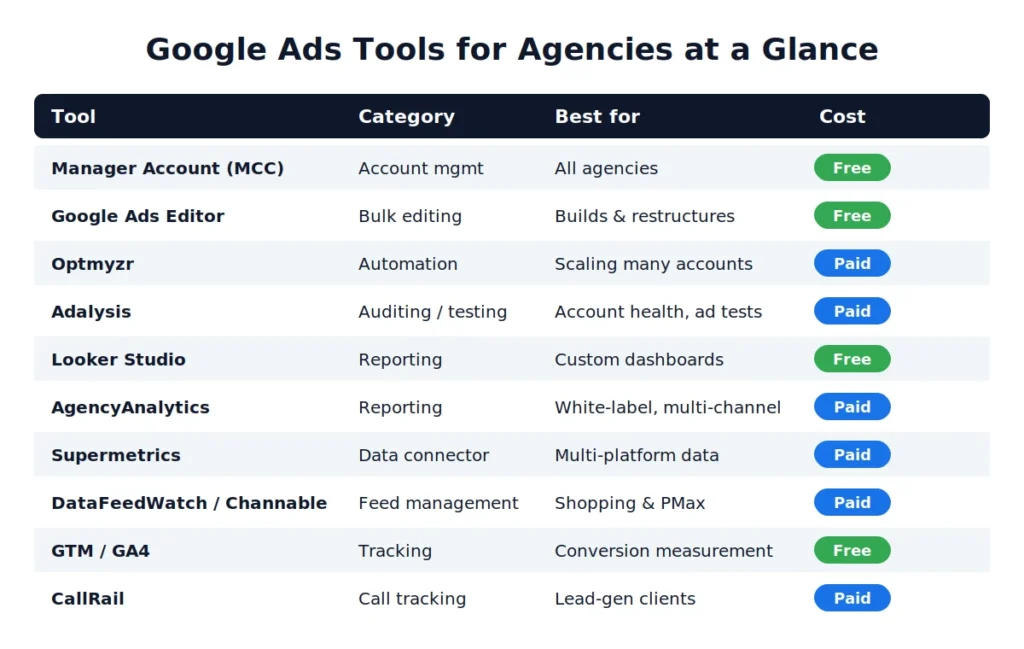
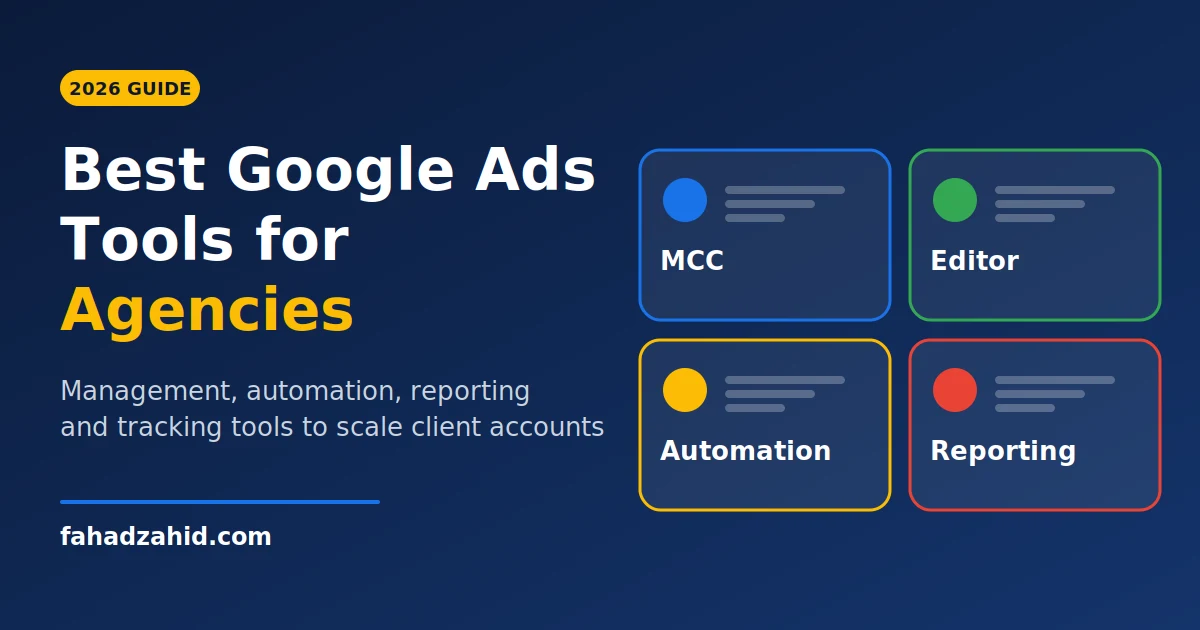
Quick Summary: Best Google Ads Tools for Agencies
- Best free account management: Google Ads Manager Account (MCC)
- Best for bulk editing: Google Ads Editor
- Best for automation and optimization: Optmyzr
- Best for account auditing and testing: Adalysis
- Best free client reporting: Looker Studio
- Best paid reporting platforms: AgencyAnalytics, DashThis, Swydo
- Best for data pipelines: Supermetrics
- Best for competitor and keyword research: Semrush, SpyFu
- Best for e-commerce feeds: DataFeedWatch, Channable
- Best for tracking: Google Tag Manager and GA4
- Best for call tracking: CallRail
- Best for landing pages: Unbounce, Instapage
Pricing and features change often, so always check each vendor’s current plans before committing.
How to Choose Google Ads Tools for Your Agency
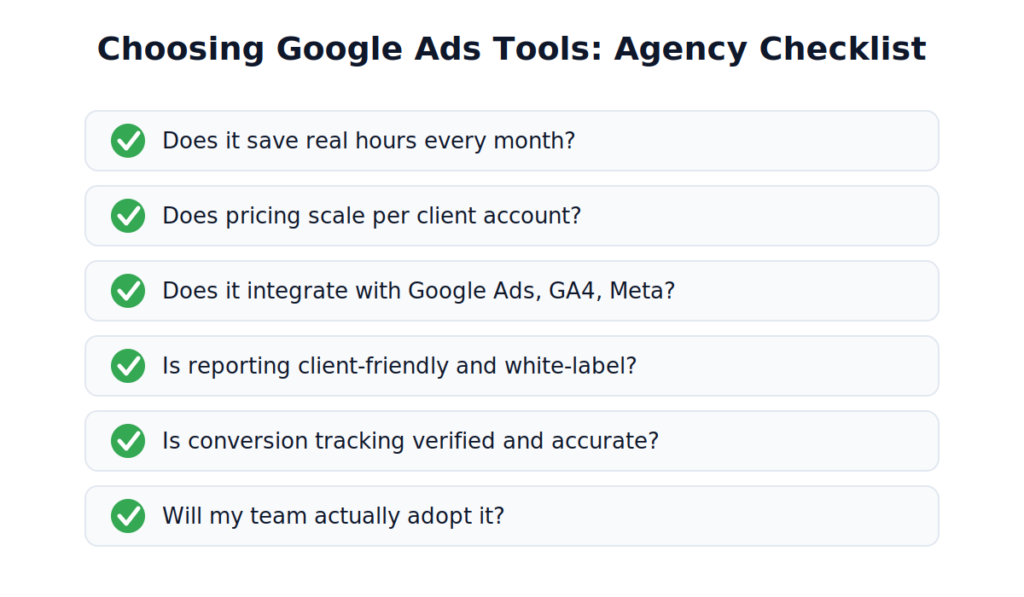
Before you buy anything, run each tool through these questions:
- Does it save real hours? If a tool does not cut at least a few hours per month, it is not worth the subscription.
- Does it scale per client? Per-account pricing can become painful at 50+ accounts.
- Does it integrate with your stack? Look for Google Ads, GA4, Microsoft Ads and Meta connections.
- Is it client-friendly? Reporting and dashboards must be readable by non-marketers.
- Does it support white-labeling? Essential if you work with other agencies.
- How good is the support and learning curve? Your team’s adoption matters more than the feature list.
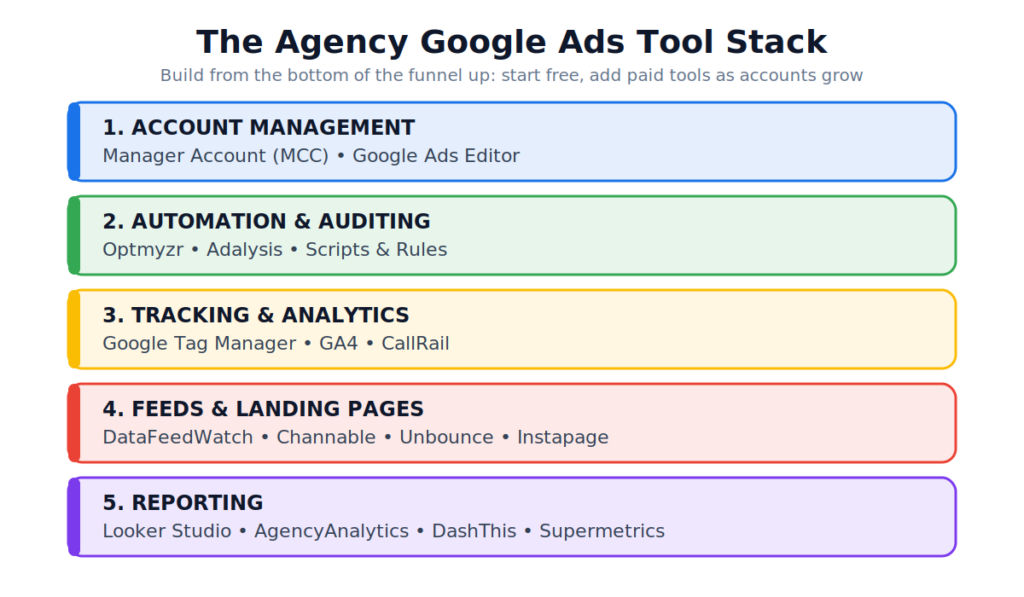
1. Account Management Tools
Google Ads Manager Account (MCC)
A manager account is the foundation of any agency setup, and it is free. From one login you can access all client accounts, apply account-level labels, share conversion actions and negative keyword lists, and view cross-account performance.
Why agencies love it:
- Single login for every client
- Cross-account budgets and bulk actions
- Shared negative keyword lists and conversion tracking
- Scripts and rules that can run across multiple accounts
- Clean permission control: you never need a client’s password
Best for: Every agency, from solo freelancers to large teams.
Google Ads Editor
Google Ads Editor is a free desktop app for making bulk changes offline, then posting them to the account. It is the quickest way to build or restructure campaigns at scale.
Key uses:
- Build campaigns, ad groups, keywords and RSAs in bulk using spreadsheets
- Copy and paste structures between accounts
- Review changes before they go live
- Find and replace across ad copy, URLs and bids
- Work across multiple accounts at once
Pro tip: Keep a master spreadsheet template per vertical (dental, legal, home services, e-commerce) so new account builds take hours instead of days.
Best for: Agencies launching accounts regularly or managing large keyword and ad inventories.
2. Automation and Optimization Tools
Optmyzr
Optmyzr is one of the most popular PPC management platforms built for agencies. It combines rule-based automation, optimization suggestions, bulk management and reporting.
Standout features:
- Rule engine and scripts for budget pacing, bid management and alerts
- Optimization suggestions across search terms, ads and structure
- Account audits and cross-account dashboards
- Reporting templates
Pros: Deep functionality, strong for managing many accounts, useful automation. Cons: Learning curve and a cost that can be high for very small agencies.
Adalysis
Adalysis focuses on automated auditing, ad testing and account health. It is particularly useful for large accounts with lots of ads and keywords.
Standout features:
- Automated alerts for disapprovals, broken URLs and anomalies
- Ad testing insights and search term analysis
- Account audit reports you can share with clients
Pros: Excellent for finding issues fast, good value for what it covers. Cons: Less focused on creative generation, interface can feel dense at first.
Google Ads Scripts and Automated Rules
For teams comfortable with a little JavaScript, free Google Ads scripts can handle budget alerts, broken link checks, search term mining and anomaly detection. Automated rules can pause, enable or adjust items on a schedule.
Best for: Lean agencies that want automation without monthly software fees.
3. Reporting and Dashboard Tools
Clients rarely care about impressions. They want to see leads, revenue and return. Good reporting tools turn raw data into a story.
Looker Studio (Free)
Looker Studio connects natively with Google Ads, GA4, Search Console and Google Sheets, making it the default free option for agencies.
Pros:
- Free and highly customizable
- Easy sharing with clients via a link
- Templates you can duplicate per client
Cons:
- Requires setup time
- Third-party connectors (Meta, Microsoft Ads) usually need paid connectors
AgencyAnalytics, DashThis and Swydo
These paid platforms are built for agencies that want fast, branded, multi-channel reports.
- AgencyAnalytics: white-label dashboards, client logins, many integrations.
- DashThis: simple, fast dashboards with strong templating.
- Swydo: PPC-focused reporting with scheduled report delivery.
Best for: Agencies that want consistent client-ready reporting without building from scratch.
Supermetrics
Supermetrics pulls data from ad platforms into Looker Studio, Google Sheets, BigQuery and other destinations. It is the go-to connector layer when you need Meta, Microsoft Ads, LinkedIn and Google Ads data in one place.
Best for: Multi-channel agencies with custom reporting requirements.
4. Research and Competitor Analysis Tools
Google Keyword Planner
Free inside every Google Ads account. It is still the most direct source for search volume ranges and bid estimates directly from Google.
Semrush
Useful for keyword research, competitor ad copy, traffic estimates and landing page insights. Agencies use it for pitches as well as ongoing optimization.
SpyFu
Helpful for seeing which keywords competitors have bid on over time and the ad variations they have tested.
Best for: Prospecting, pitching new clients and uncovering gaps in competitor strategies.
5. E-commerce and Shopping Feed Tools
For e-commerce clients, product data quality drives Shopping and Performance Max success.
DataFeedWatch and Channable
Both let you optimize titles, apply rules, filter products and manage feeds across channels without touching the source catalog.
Why it matters:
- Better product titles improve query matching
- Rules let you exclude low-margin or out-of-stock items
- Custom labels enable margin-based bidding and campaign structure
Google Merchant Center
Free and essential. Monitor diagnostics, disapprovals and feed health weekly for every retail client.
Best for: Agencies with Shopping and Performance Max clients.
6. Conversion Tracking and Analytics Tools
Bad tracking ruins every other tool on this list. Smart bidding is only as good as the conversion data you feed it.
Google Tag Manager
Free and the standard way to deploy conversion tags, remarketing tags and events without constant developer help.
Google Analytics 4 (GA4)
Essential for understanding user behavior and importing conversions. Link it to Google Ads and verify key events are firing correctly.
CallRail
For lead-gen verticals like dental, legal and home services, phone calls are often the most valuable conversion. Call tracking with dynamic numbers lets you attribute calls to keywords and campaigns, and record or score calls for quality.
Microsoft Clarity or Hotjar
Heatmaps and session recordings help you diagnose why traffic is not converting, which is invaluable when talking to clients about landing page changes.
7. Landing Page and CRO Tools
Unbounce and Instapage
Both let you build and test landing pages without developers, with dynamic text replacement and A/B testing built in.
Best for: Agencies whose clients have slow web development cycles.
8. Project Management and Collaboration
Great PPC is also about process.
- Google Sheets and Airtable: change logs, keyword plans, ad copy approvals.
- Trello, Asana or ClickUp: task tracking for optimizations and audits.
- Slack or shared inboxes: quick client communication.
Keep a change log per account. It protects you in client reviews and makes handovers painless.
Comparison Table: Best Google Ads Tools for Agencies
| Tool | Category | Best For | Cost Model |
|---|---|---|---|
| Manager Account (MCC) | Account management | All agencies | Free |
| Google Ads Editor | Bulk editing | Builds and restructures | Free |
| Optmyzr | Automation | Scaling many accounts | Paid |
| Adalysis | Auditing / testing | Account health and ad tests | Paid |
| Looker Studio | Reporting | Custom client dashboards | Free |
| AgencyAnalytics | Reporting | White-label, multi-channel | Paid |
| Supermetrics | Data connector | Multi-platform data | Paid |
| Semrush / SpyFu | Research | Competitor and keyword insights | Paid |
| DataFeedWatch / Channable | Feed management | Shopping and PMax | Paid |
| GTM / GA4 | Tracking | Conversion measurement | Free |
| CallRail | Call tracking | Lead-gen clients | Paid |
| Unbounce / Instapage | Landing pages | Conversion testing | Paid |
Sample Tool Stacks by Agency Size
Freelancer or Solo Consultant
- Manager Account, Google Ads Editor, Looker Studio, GTM and GA4, Keyword Planner, Google Sheets
- Cost: near zero, which keeps margins healthy.
Small Agency (5 to 25 accounts)
- Everything above, plus Adalysis or Optmyzr, a paid reporting tool, and CallRail for lead-gen clients
Growing Agency (25+ accounts)
- Optmyzr and Adalysis, AgencyAnalytics or Supermetrics, feed management tools, a CRO platform, and a project management system with documented SOPs
Common Mistakes Agencies Make with PPC Tools
- Buying tools before fixing process. Software does not replace a clear audit and optimization routine.
- Ignoring tracking quality. Automation on bad conversion data scales bad results.
- Over-automating. Always review automated changes, especially pauses and bid adjustments.
- Reports that overwhelm. Lead with outcomes, then supporting metrics.
- Too many overlapping subscriptions. Audit your stack every quarter and cancel what is not used.
Where AI Fits into the Agency Workflow
Google’s AI-powered features, including Performance Max, AI-assisted assets and broader match types, keep expanding. Agencies that win are the ones that supply strong inputs: clean conversion data, quality creative, well-organized audience signals and thoughtful exclusions. Tools that help with feed quality, creative production and reporting transparency are increasingly valuable as campaign controls shift toward automation.
Frequently Asked Questions
What are the best free Google Ads tools for agencies?
The Google Ads Manager Account, Google Ads Editor, Keyword Planner, Looker Studio, Google Tag Manager, GA4 and Merchant Center form a powerful free foundation.
What is the best Google Ads reporting tool for agencies?
Looker Studio is the best free option. For white-label, multi-channel reporting with less setup, AgencyAnalytics, DashThis and Swydo are strong paid alternatives.
Do agencies need Optmyzr or Adalysis?
Not at the start. They become valuable as the number of accounts grows and manual audits start to take too long.
How many tools does a PPC agency really need?
Most agencies need five to eight well-chosen tools. More than that usually means overlap.
Can freelancers use the same tools as agencies?
Yes. Most of these tools scale down well, and many of the best ones are free.
Conclusion
The best Google Ads tools for agencies are the ones that help you deliver better results with less manual work. Start with the free foundation of the Manager Account, Google Ads Editor, Looker Studio and GTM. Add automation, auditing and reporting platforms as your account count and client expectations grow. Keep tracking clean, review your stack regularly, and remember that tools support strategy; they do not replace it.
If you want a second pair of eyes on your client accounts, or a white-label PPC partner to help your agency scale, get in touch for a free Google Ads audit.