Artificial intelligence is becoming a practical part of running a small business. In 2027, owners can use AI to draft customer emails, create marketing graphics, summarize meetings, organize sales leads, automate routine administration and make better use of business data. The biggest opportunity is not replacing every task with software. It is reducing repetitive work so people can focus on customers, quality and growth.
The challenge is choosing tools that solve real problems without creating another collection of subscriptions to manage. This guide compares established AI-enabled products across the main jobs small businesses need to complete. It is written for freelancers, local service providers, consultants, online stores, agencies and lean teams.
Quick comparison: the best AI tools for small businesses
| Tool | Best for | Why consider it |
| ChatGPT | General business assistant | Drafting, brainstorming, research, analysis and planning |
| Claude | Long-form writing and document work | Reviewing lengthy documents and refining business content |
| Google Gemini | Google Workspace users | AI assistance alongside Gmail, Docs, Sheets and other Google tools |
| Microsoft 365 Copilot | Microsoft 365 users | Help with Word, Excel, PowerPoint, Outlook and work information |
| Canva Magic Studio | Design and marketing visuals | Creating social graphics, presentations and promotional assets |
| HubSpot with Breeze | CRM and sales workflows | Organizing contacts, lead activity and customer follow-up |
| Zapier | No-code automation | Connecting apps and automating repeatable steps |
| Notion AI | Knowledge and project organization | Finding, summarizing and working with internal notes and documents |
| Otter.ai | Meeting notes | Transcribing conversations and generating summaries |
| QuickBooks with Intuit AI | Bookkeeping and financial visibility | Working with accounting records and surfacing business insights |
| Tidio | Website customer support | Helping answer common visitor questions and route conversations |
| Grammarly | Business writing quality | Improving clarity, tone and correctness in customer-facing writing |
Important: AI features, plan names, regional availability and subscription prices can change during 2027. The tools below are selected for their current product direction and established use cases; this is not a promise that every feature or price will remain unchanged. Check each provider’s official website before purchasing.
1. ChatGPT – Best all-around AI assistant

ChatGPT is a flexible starting point for a small business that wants one assistant for a wide range of everyday tasks. It can help create first drafts, explain unfamiliar concepts, summarize supplied documents, brainstorm campaigns, analyze supported files and turn rough notes into organized plans.
How a small business can use it:
Draft customer service replies, proposals, quotations and follow-up emails.
Turn product notes into website copy, FAQs and social media ideas.
Analyze a spreadsheet of sales or campaign results and suggest questions to investigate.
Create checklists, standard operating procedures and onboarding documents.
Prepare meeting agendas and summarize information supplied by your team.
Best fit: owners and small teams that need a general-purpose assistant. Limitations: output can be inaccurate, outdated or too generic. Verify facts, calculations, legal or tax information, and customer-facing promises. Do not paste confidential customer or employee information into a personal AI account unless your organization has reviewed the relevant privacy settings and terms.
Official website: ChatGPT
2. Claude – Best for long-form writing and document analysis
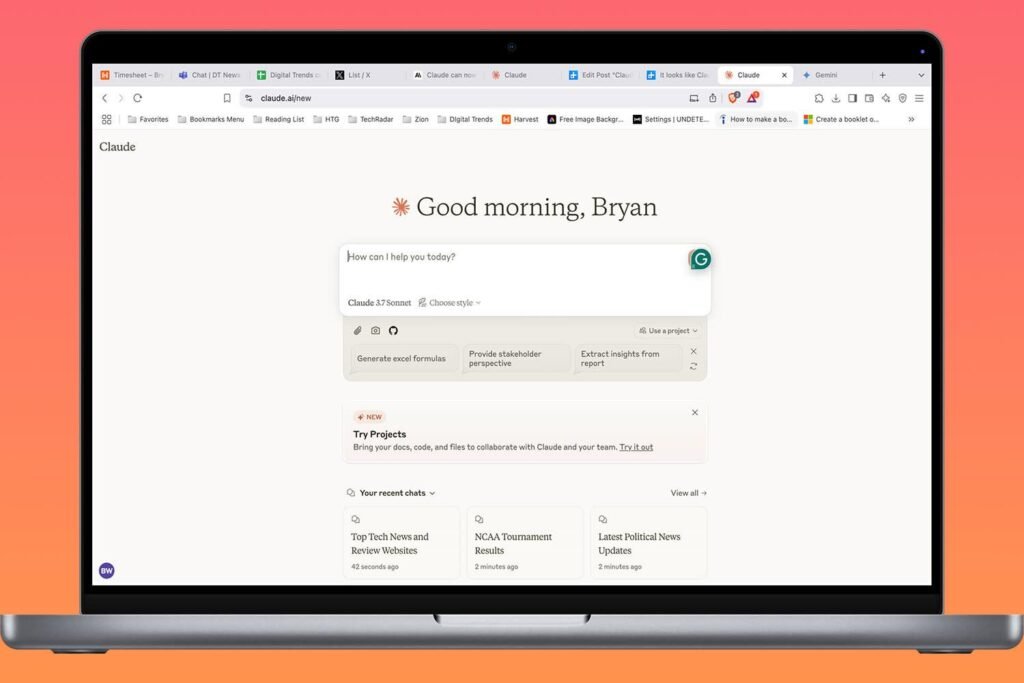
Claude is another general-purpose AI assistant that can be useful when a business works with lengthy documents, detailed briefs, proposals or written material. It can help organize a large amount of supplied text, compare document sections, improve tone and create structured drafts.
Practical uses include reviewing a service proposal, summarizing customer feedback, preparing a first draft of an internal policy, or turning research notes into a clear report. As with any AI assistant, the owner should review the result and confirm important details.
Best fit: consultants, agencies, professional services and teams that regularly work with long written documents. Compare the current plans and file limits before choosing it alongside another assistant.
Official website: Claude
3. Google Gemini – Best for businesses using Google Workspace

Businesses that already rely on Gmail, Google Docs, Sheets, Drive and Meet may find Gemini useful because AI assistance can sit close to familiar productivity workflows. Depending on the account, plan and rollout, available capabilities may include drafting, summarizing, research assistance and help working with information.
Example uses include preparing a first draft of an email, summarizing a document, helping interpret a spreadsheet, or organizing ideas before a team meeting. Check which features are included in the exact Workspace edition available in your country.
Best fit: small businesses whose daily work already happens in Google’s ecosystem. Avoid paying for overlapping tools until you know which tasks the built-in features can handle.
Official website: Google Gemini
4. Microsoft 365 Copilot – Best for Word, Excel and Outlook users
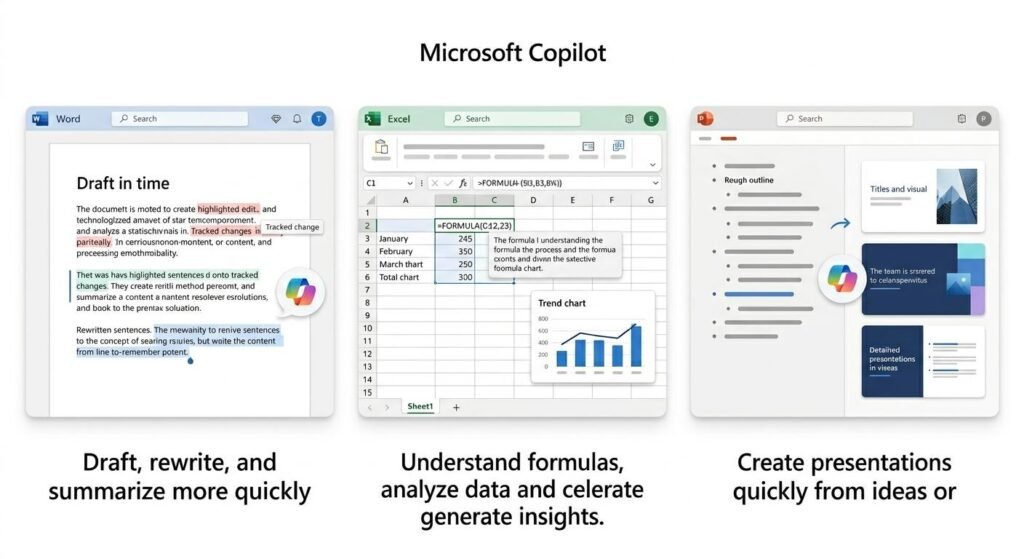
For teams that run on Microsoft 365, Copilot can provide AI assistance within familiar work applications. Depending on the subscription and enabled features, it may help draft and summarize documents, work with spreadsheet information, prepare presentations and organize email or meeting content.
A practical starting point is one low-risk task, such as summarizing a long internal document or creating a first draft of a recurring report. Confirm the licensing requirements and your organization’s data permissions before enabling it across a team.
Best fit: businesses already paying for Microsoft 365 and using its applications every day.
Official website: Microsoft 365 Copilot
5. Canva Magic Studio – Best for design and marketing content

Canva helps non-designers create social media graphics, presentations, flyers, simple videos, documents and promotional materials. Its AI-powered Magic Studio features can assist with generating or editing content, resizing designs and speeding up creative tasks. Available features depend on the plan and region.
Small businesses can use Canva to build reusable templates for weekly promotions, service explainers, event announcements, product highlights and presentation decks. Create a basic brand kit with approved colors, fonts and logos so that multiple team members can produce consistent material.
Best fit: local businesses, online stores, freelancers and marketing teams that need frequent visual content. Review generated text, image rights and brand accuracy before publishing.
Official website: Canva
6. HubSpot with Breeze – Best for CRM and sales follow-up
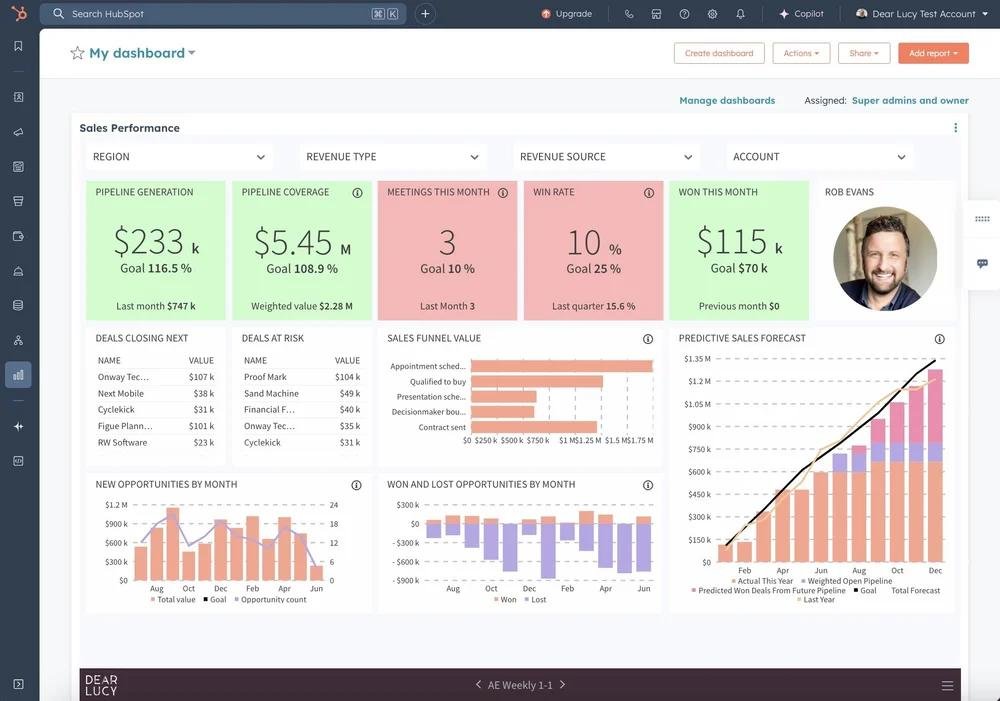
A customer relationship management system (CRM) helps a business keep track of contacts, enquiries, conversations and sales opportunities. HubSpot offers CRM and marketing tools, with Breeze-branded AI capabilities across parts of its platform. The exact AI features available depend on the HubSpot product and subscription.
A small service business could use a CRM to record where a lead came from, assign an owner, schedule a follow-up and track whether an enquiry became a customer. AI assistance can help summarize activity or prepare a draft response, but the team should still check the record and decide what happens next.
Best fit: businesses receiving enquiries from several channels or struggling to follow up consistently. Start with a simple pipeline and a small number of fields rather than building a complicated CRM on day one.
Official website: HubSpot
7. Zapier – Best for connecting apps and automating repetitive work
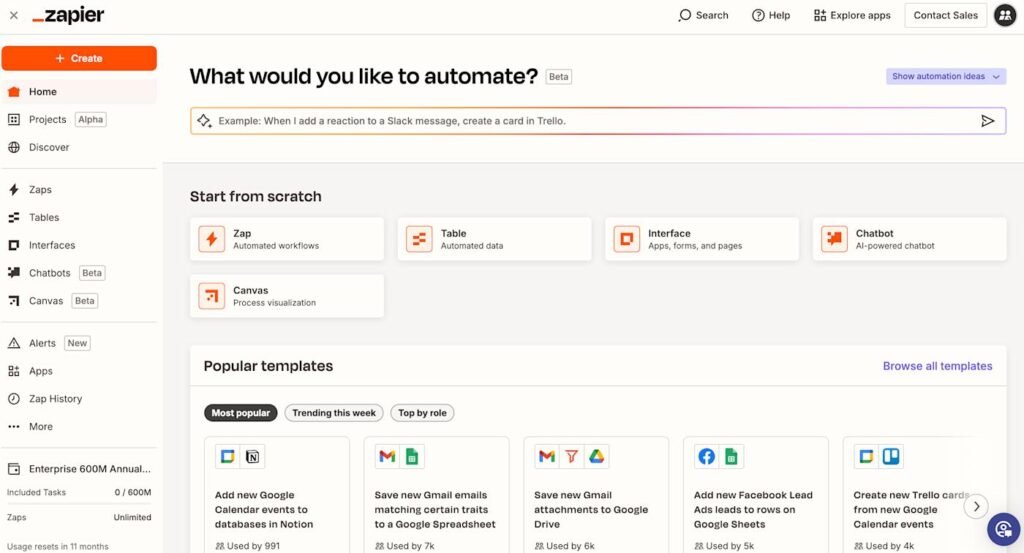
Zapier connects business applications through automated workflows. A workflow typically starts with a trigger in one app and then performs one or more actions in other apps. Zapier also offers AI-related workflow capabilities, with features and limits depending on the plan.
For example, a new website enquiry could create a CRM record, notify the sales inbox and add a task to a project board. A completed form could send a confirmation email and place the details in a spreadsheet. AI steps can help classify, summarize or draft content within a workflow.
Best fit: businesses that repeat the same administrative steps across multiple apps. Begin with a process that is frequent, predictable and easy to check. Test with sample data, add error notifications and keep human approval for important customer or financial actions.
Official website: Zapier
8. Notion AI – Best for internal knowledge and project organization

Notion combines notes, documents, databases and project organization. Its AI capabilities can help teams search, summarize and work with information stored in their workspace, subject to the current plan and feature availability.
A small company can use Notion to maintain a simple knowledge base: service descriptions, onboarding steps, brand guidelines, frequently asked questions, meeting notes and project checklists. Keeping these resources in one organized place makes it easier for staff to find the latest approved information.
Best fit: teams that need a shared home for processes and internal documentation. Establish clear access permissions and avoid storing sensitive information without reviewing the workspace’s security and retention settings.
Official website: Notion
9. Otter.ai – Best for meeting transcription and summaries
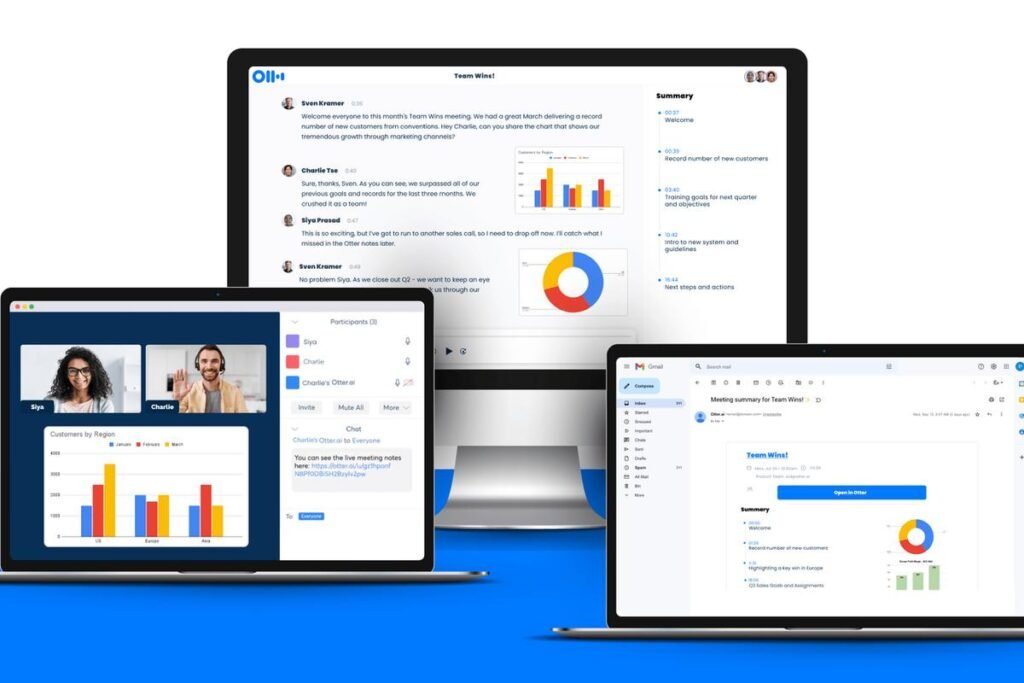
Otter.ai is designed to capture and transcribe meetings, then make conversations easier to review. Its feature set includes meeting transcription, summaries, searchable notes and integrations with common meeting platforms, subject to plan and setup.
A small team can use meeting notes to capture decisions, action items and customer requirements instead of relying on someone’s memory. Always tell participants when a meeting is being recorded or transcribed, obtain any required consent, and follow applicable workplace and privacy rules.
Best fit: consultants, remote teams and businesses that hold frequent online meetings.
Official website: Otter.ai
10. QuickBooks with Intuit AI – Best for bookkeeping and financial visibility

Accounting software helps a business organize income, expenses, invoices and financial records. QuickBooks has introduced AI-powered capabilities under Intuit’s AI and intelligence initiatives. Depending on product, country and subscription, these may assist with understanding accounting information, reports and routine finance workflows.
Use accounting software as the official record, not a general chatbot. Review bank matches, expense categories, tax treatment and financial reports with a qualified bookkeeper or accountant where needed. AI-generated financial explanations are not a substitute for professional accounting or tax advice.
Best fit: small businesses that need structured bookkeeping and clearer visibility into cash flow and performance. Check local tax, invoicing and banking compatibility before selecting a plan.
Official website: QuickBooks
11. Tidio – Best for website customer support
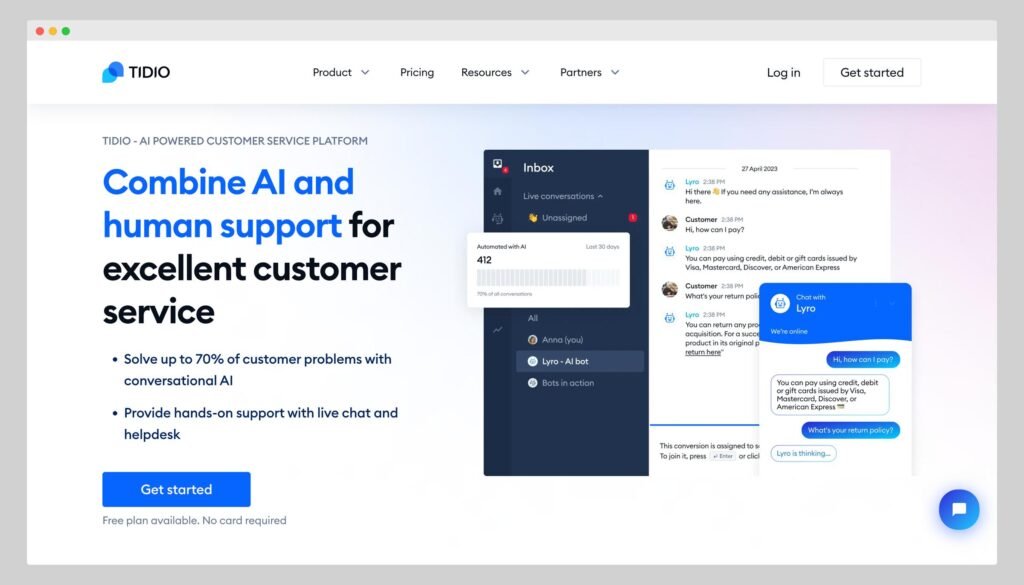
Tidio provides website communication and customer support tools, including AI-assisted customer service options. Depending on the setup and plan, a business can use it to answer common questions, guide visitors to relevant information and pass more complex enquiries to a human.
A useful starting point is a small, carefully reviewed knowledge base covering opening hours, delivery policies, service areas, appointment processes and common product questions. Make it easy for visitors to reach a person when the question involves an unusual request, complaint, payment or sensitive information.
Best fit: online stores and service businesses with recurring website enquiries. Test answers regularly and do not allow a chatbot to invent policies, prices, availability or guarantees.
Official website: Tidio
12. Grammarly – Best for clearer business communication

Grammarly supports writing quality by helping users review spelling, grammar, clarity and tone. AI writing assistance can also help produce or revise drafts, depending on the plan.
It can be useful for polishing proposals, customer emails, website pages and internal documents. Treat suggestions as editorial guidance: check names, numbers, product details and the meaning of the message before sending.
Best fit: businesses that communicate frequently in writing and want a consistent, professional tone.
Official website: Grammarly
How to choose the right AI tools for your business
The best AI tool is the one that solves a real business problem at a reasonable total cost. Use the following checklist before starting a subscription:
Identify the bottleneck. Write down the task that is taking too much time, causing delays or being completed inconsistently.
Estimate how often it happens. A tool used every day may justify a subscription more easily than one used once a month.
Check the complete cost. Include per-user fees, usage limits, add-ons, setup time, integrations and the cost of reviewing AI output.
Test with real but non-sensitive examples. Use sample enquiries, dummy records or approved public content during the trial.
Review integrations. A tool is more useful when it works with the email, calendar, CRM, website or accounting system you already use.
Check privacy and permissions. Understand what data is collected, who can access it, how long it is retained and whether it may be used to improve models.
Measure the result. Compare time saved, response speed, error rates, customer satisfaction or qualified leads before and after adoption.
Make it easy to stop. Know how to export your data, cancel the plan and switch back to a manual process if the tool is not delivering value.
A simple AI workflow for a small business
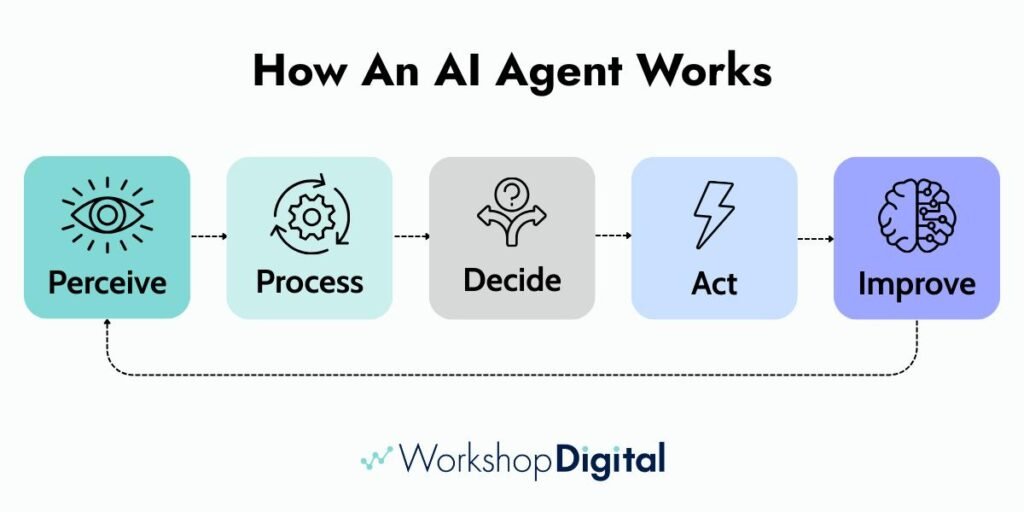
Alt text: Five-step small business AI workflow: capture enquiries, understand information, decide on a response, take action and measure results.
A practical workflow does not need to be complicated. Consider a service business receiving enquiries through its website:
Capture: a visitor submits a contact form with their service request and preferred contact details.
Understand: the CRM or an approved AI step categorizes the enquiry by service type and summarizes the request.
Decide: a staff member reviews the summary, checks whether the business can help and chooses the next step.
Act: the system sends an approved acknowledgement and creates a follow-up task for the right team member.
Measure: the owner reviews response time, qualified enquiries, booked appointments and conversion rate each month.
This approach uses AI to assist with sorting and drafting while keeping people responsible for important decisions and customer commitments.
Suggested AI tool stacks by business type
| Business type | Starter combination | Main benefit |
| Freelancer or consultant | ChatGPT or Claude + Canva + Notion | Proposals, content, client documentation and organization |
| Local service business | ChatGPT + HubSpot CRM + Zapier | Faster enquiry handling and more consistent follow-up |
| Online store | Canva + CRM/support platform + Zapier | Product content, customer communication and order-related workflows |
| Small agency | ChatGPT or Claude + Notion + HubSpot + Otter | Research, repeatable processes, lead tracking and meeting records |
| Office-based team | Google Gemini or Microsoft 365 Copilot + CRM | AI support inside existing productivity tools |
These are starting points, not mandatory bundles. Choose one tool for the most important task, learn it properly and add another only when there is a clear need.
How much should a small business spend on AI?
There is no universal AI budget. A sensible approach is to begin with free plans or trials where available, then pay only when a tool is used regularly and produces measurable value. Avoid purchasing several overlapping assistants or marketing platforms at the same time.
For a very small operation, one general AI assistant and one design or workflow tool may be enough. A growing team may add CRM automation, meeting transcription or accounting features. Compare annual and monthly billing carefully, check renewal prices and confirm that the features you need are included in your region.
Calculate value using a simple formula: estimated monthly hours saved multiplied by the realistic hourly value of that time, minus the monthly subscription and maintenance cost. Treat the result as an estimate, not a guaranteed return.
AI risks small businesses should manage
Incorrect answers: AI can produce convincing but incorrect information. Verify claims, calculations, dates, policies and recommendations before acting.
Customer privacy: Do not upload personal, payment, health or confidential customer information unless you have a lawful reason, appropriate permission and an approved tool configuration.
Copyright and usage rights: Check the terms and licenses for generated images, text, music and other assets. Do not assume every output is automatically cleared for every commercial use.
Bias and poor customer experience: Review automated messages and decisions for unfair assumptions, inaccessible language or inappropriate responses.
Over-automation: Keep a clear route to a human for complaints, refunds, unusual cases and high-value decisions. Automation should not make it difficult for customers to reach your team.
Vendor dependency: Keep copies of important business information and understand how to export records if you change providers.
A 30-day plan to introduce AI
Week 1 – Choose one problem. Record the current process, the time it takes and the errors or delays it creates.
Week 2 – Run a controlled pilot. Test one tool with sample or approved data and write down what it does well and where it fails.
Week 3 – Create a repeatable process. Save approved prompts, templates, permissions and human-review steps so the work is consistent.
Week 4 – Measure and decide. Compare the results with your starting point. Keep the tool, adjust the workflow or cancel it if the value is not clear.
Frequently asked questions
What is the best AI tool for a small business in 2027?
There is no single best tool for every business. ChatGPT is a flexible general assistant; Canva is useful for visual marketing; HubSpot can help organize leads; and Zapier can connect apps. Choose based on the task you need to improve.
Are there free AI tools for small businesses?
Yes. Several providers offer free plans or limited trials. Free plans may have usage caps, fewer integrations or restricted features, so check the current terms before relying on one for daily operations.
Can AI replace employees in a small business?
AI can assist with repetitive tasks, drafting and information organization, but it still needs human oversight. People remain essential for customer relationships, judgment, accountability and complex work.
Is it safe to use AI with customer data?
It depends on the tool, data type, permissions, settings and applicable privacy rules. Minimize the data you share, review the provider’s terms and use an approved business configuration for sensitive work.
Which AI tool is best for marketing?
Canva can help create visual assets, while a general assistant can support brainstorming and first drafts. CRM and email platforms can help manage customer communication. Results still depend on strategy, accurate information and human review.
How many AI tools does a small business need?
Start with one tool that solves a frequent problem. Add another only when you can explain the specific job it will handle and how you will measure its value.
Will AI tools remain affordable in 2027?
Pricing and plan limits can change. Compare the total cost, including seats, usage, integrations and add-ons, and review your subscriptions regularly.
Final thoughts: start small and focus on measurable value
AI can help small businesses work more efficiently, but buying more software is not the same as building a better business. Start with a real bottleneck, choose a tool that fits your existing workflow, protect customer information and keep people involved in important decisions.
For most owners, the best first step is a general AI assistant for drafting and analysis, followed by a focused tool for design, customer management or automation. Test one workflow, measure the outcome and expand only when the benefits are clear.
Image Disclaimer: Some images featured in this article are AI-generated and used for illustrative and educational purposes only. They do not represent actual screenshots, interfaces, or official promotional materials of the products mentioned. All product names, logos, and trademarks belong to their respective owners. ToolScoutPro is not affiliated with or endorsed by the companies featured in this article.